

This page provides the latest Mooncell LED control software download links, along with specification sheets and user manuals for the entire product line. These resources are widely compatible with various types of LED displays and can be downloaded based on your specific needs. All content is completely free—no charges or hidden fees. We will also keep updating the materials to ensure you always have access to the most recent software versions and documentation.
каталог
1.Mooncell LED control software Завантажити
Below is a comprehensive list of Mooncell LED control software downloads compiled by EagerLED. It includes a range of essential tools such as synchronous and asynchronous control software, media player software, server software, and calibration tools. The synchronous software enables real-time content management, while the asynchronous version supports offline playback and scheduling. The media player handles videos, images, and text in various formats. Server software allows for remote control, and calibration tools ensure accurate color and brightness adjustments. Simply click the software name in the table to download what you need. All tools are free to download and use with no restrictions.
| Асинхронне програмне забезпечення Mooncell | |
|---|---|
| Налаштування Ledmagic 2.6.4 | Ledmagic Setup 2.5.11 (64) |
| Ledmagic Setup 2.5.11 (32) |
| Програмне забезпечення для синхронізації Mooncell | |
|---|---|
| AutoLEDSetupV3.72.12 | Контролер T6 V3.1.26 |
| Контролер світлодіодного дисплея V3.2.9 (китайська спрощена) |
Installation Steps and Usage Notes for Asynchronous and Synchronize Mooncell LED Control Software
етапи установки
Download the Software: Click the corresponding software name in the table below to begin downloading.
Run the Installer: Double-click the installation file and follow the on-screen instructions to complete setup.
Choose Installation Path: It’s recommended to use the default path, or select a custom path if preferred.
Finish Installation: After installation, you may opt to create a desktop shortcut for easier access.
Примітки щодо використання
Compatibility: Confirm that the software version matches your specific LED screen model.
Parameter Settings: Set screen parameters accurately to prevent display issues.
Media Format: Use images and videos in formats supported by the software.
USB Format: For asynchronous software, ensure the USB drive is formatted in FAT32.
Network Stability: Maintain a stable network connection when using synchronous software.
Regular Backups: Back up programs and content regularly to avoid data loss.
| Програмне забезпечення Mooncell Media Player | |
|---|---|
| MCLEDPlayerV2.9.166 (багатомовний випуск) | MCLEDPlayer_Setup_1.0.5_03131715 |
Mooncell Network Media Player Software Operation Instructions
When the media player device was found after swiping down on the user login interface, as shown below:
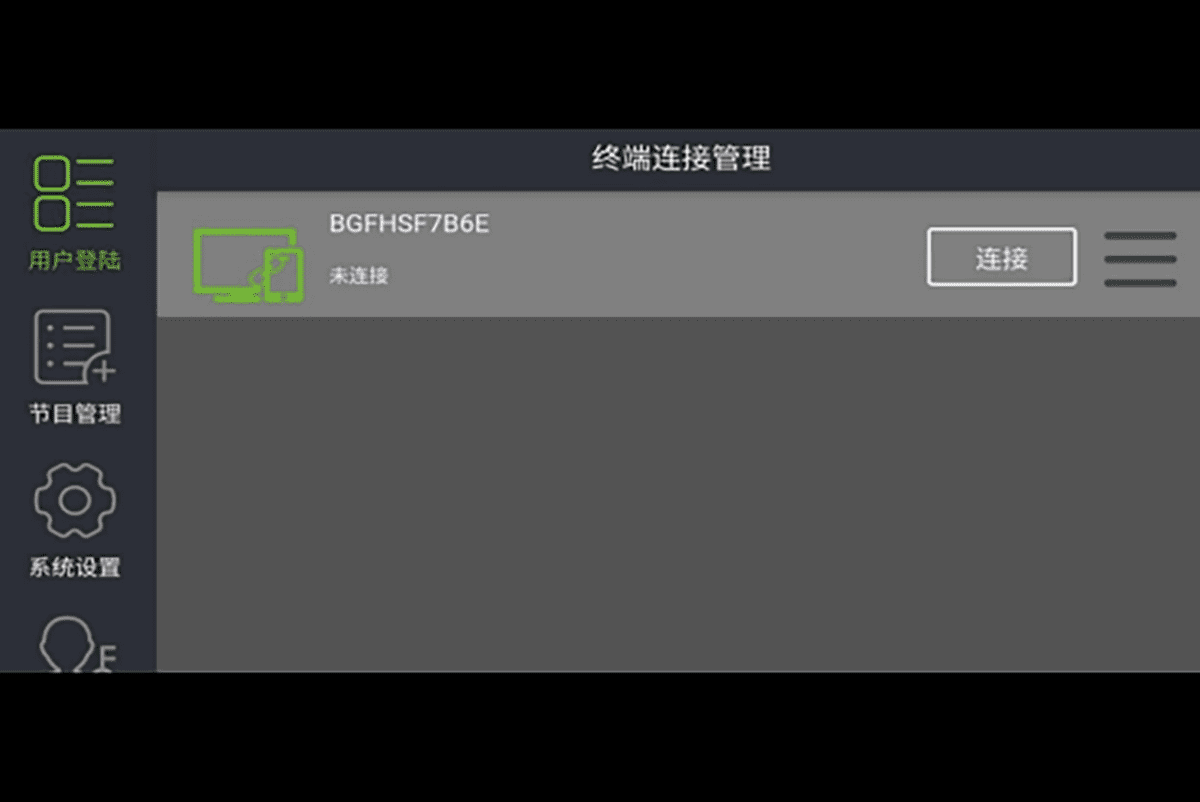
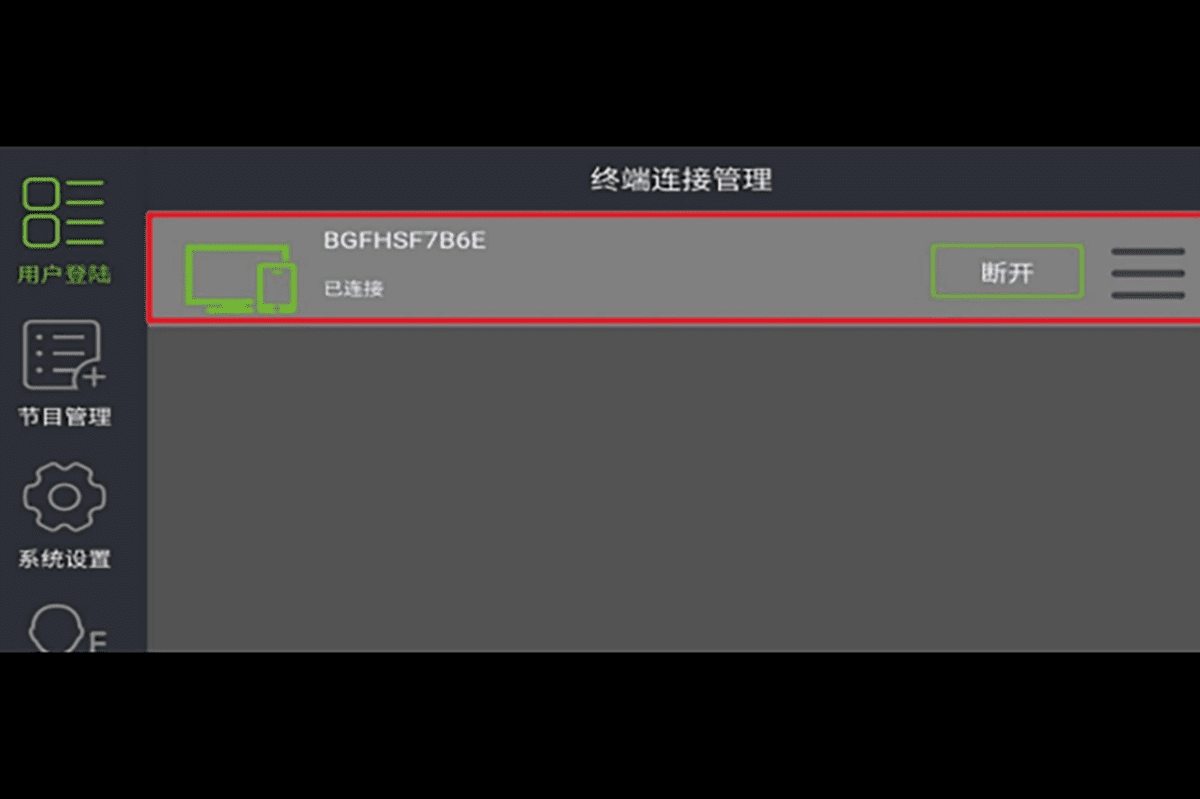
1. Click the “Connect” button on the player device and enter the username and password, then click “OK”. Once connected, the mobile app will successfully log in to the media player. After connection, the icon will turn green, indicating a successful connection. To disconnect, simply click the “Disconnect” button, and the mobile app will be disconnected from the media player.
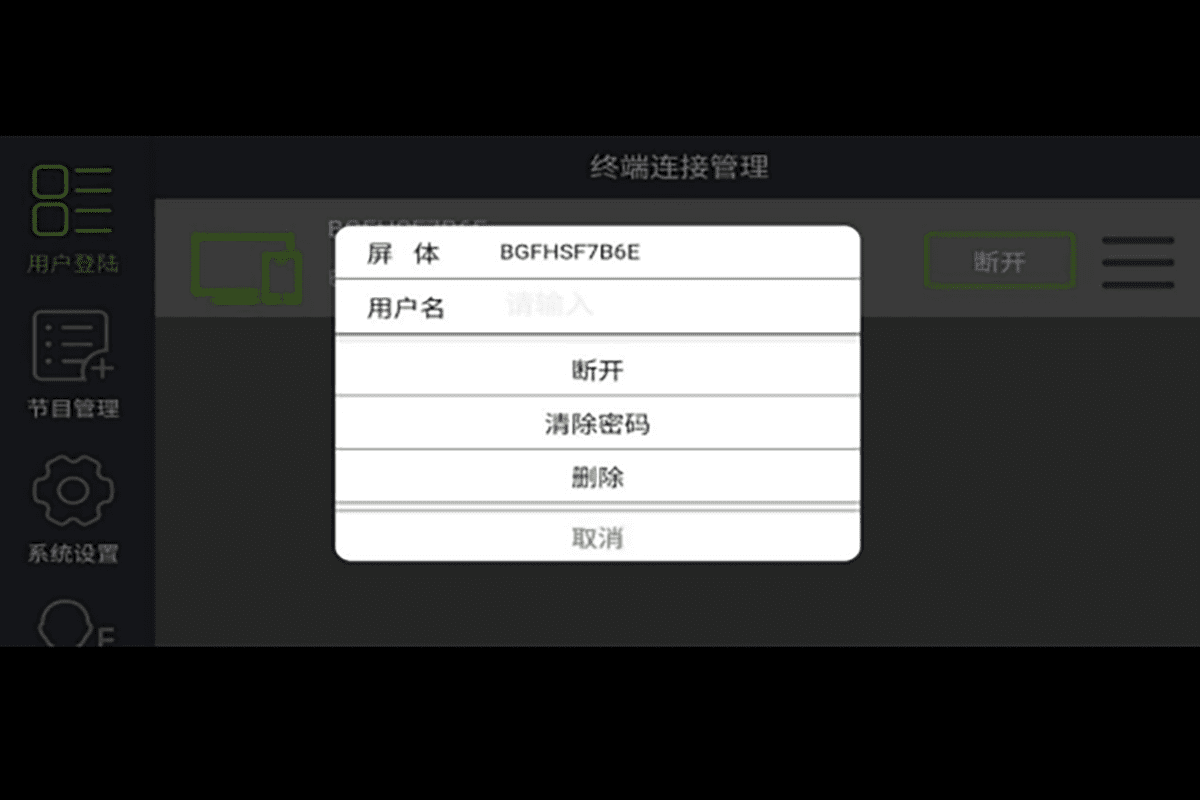
2. Click the “三” (menu) icon on the right side of the media player to access the following options:
(1) Connect/Disconnect– Tap to establish or terminate the connection between the mobile app and the media player.
(2) Clear Password– Removes the saved login password. You will need to re-enter the password to reconnect in the future.
(3) Delete– Removes the device from the list. It will no longer appear unless you refresh the device list to rediscover it.
(4) Cancel– Exits the menu without making changes.
| Сервер Mooncell | |
|---|---|
| Сервер C2 |
| Програмне забезпечення для калібрування | |
|---|---|
| Сервер програмного забезпечення калібрування |
2.Mooncell Specifications Download
In addition to the Mooncell LED control software download table, we have also organized detailed specifications for other related products. These specifications cover a comprehensive range of Mooncell components, including receiving cards, video processors, control systems, and various accessories. Whether you’re preparing to use the products or seeking information during operation, these documents will be an essential resource.
By referring to the specifications, you can easily access detailed information on product performance, compatibility, installation requirements, and operational guidelines. This ensures you can select, install, and operate Mooncell products with accuracy and confidence.
Технічні характеристики приймаючої картки
| Надсилання контролерів | |
|---|---|
Ознайомлювальне відео контролера Mooncell MTB200
Технічні характеристики систем управління
| Серія комерційних світлодіодних дисплеїв | |
|---|---|
| Карта асинхронного керування MBR16 | Контролер світлодіодного дисплея MC75E 2IN1 |
3. Завантаження посібника користувача програмного забезпечення Mooncell Control
To quickly grasp the basic operations of Mooncell software and minimize the learning curve, it is highly recommended to carefully read the user manuals provided below. These manuals offer detailed instructions on the software’s various functions, explain common error messages, and highlight important usage precautions.
The above content covers all aspects of Mooncell LED control software downloads, product specifications, and user manuals. We will continue to update this page regularly. If you have any questions after reviewing the information, please feel free to contact us — we’ll get back to you as soon as possible.