

NovaStar TU40 Pro Specifications: Everything You Need to Know
2026-02-26T03:52:39+00:00February 26, 2026|Tags: FAQs NovaStar|
Colorlight X8m Ultra-4K LED Video Processor Review: Performance, Features & Advantages
2026-02-02T03:18:55+00:00February 13, 2026|Tags: FAQs Colorlight|
HUIDU HD-VP620 LED Display All-In-One Video Processor
2026-02-02T03:02:40+00:00February 2, 2026|Tags: FAQs HuiDu|
In the rapidly evolving field of LED display technology, professional video processors play a crucial role in ensuring a seamless visual experience. The Colorlight VX20 is one of the leading products in this area, a high-performance LED display controller designed to meet the demands of modern applications such as live events, broadcast studios, and large video walls.
This comprehensive guide will delve into the features, technical specifications, setup process, and advantages of the Colorlight VX20, providing you with all the information you need about this cutting-edge device.
Table of Content
1.What Is the Colorlight VX20?
The Colorlight VX20 is a high-performance LED video processor tailored for professional environments. It serves as both a sending and processing hub, capable of handling multiple input sources and delivering synchronized, high-quality visuals to LED receiving cards. Designed with precision in mind, it supports resolutions up to 4K and ensures smooth performance even in demanding scenarios.
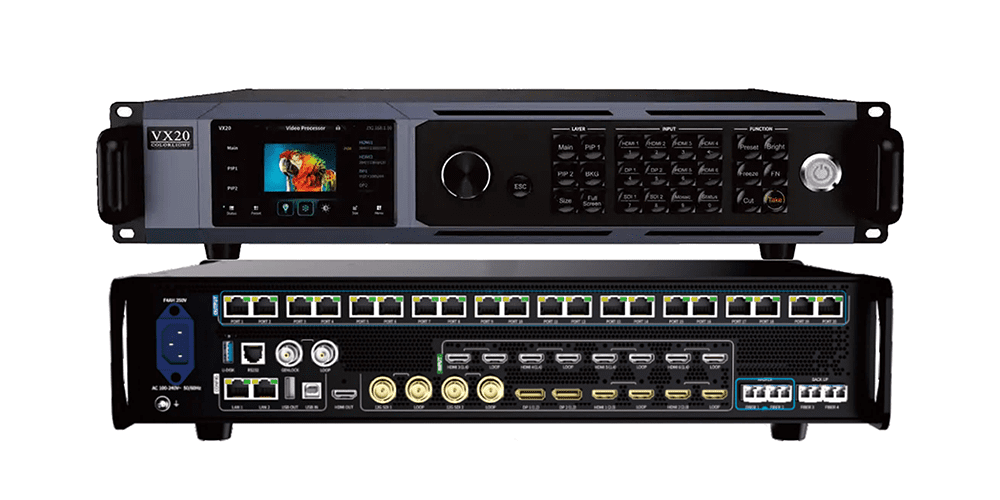
Key highlights of the Colorlight VX20 include:
- Support for Ethernet and optical outputs (though not simultaneously).
- Advanced scaling and cropping capabilities.
- Compatibility with receiving cards that support specific features.
- A minimum window size of 64×64 pixels for precise control over display layouts.
This processor is ideal for applications requiring real-time visual performance, such as concerts, control rooms, and immersive installations.
2.Technical Specifications of Colorlight VX20
To fully appreciate the capabilities of the Colorlight VX20, let’s explore its detailed technical specifications:
Input Connectors:
4K Inputs:
- 1× DP 1.4
- 1× HDMI 2.0
2K Inputs:
- 2× HDMI 1.4
- 2× DVI
Input Resolution:
- Supports resolutions up to 4096×2160 at 60Hz, with customizable settings available.
Loading Capacity:
- Handles up to 13 million pixels.
- Maximum width: 16,384 pixels.
- Maximum height: 8,192 pixels.
Output Connectors:
- 20× Gigabit Ethernet ports.
- 2× 10G optical fiber ports (Note: Ethernet and optical outputs cannot be used simultaneously).
Video Processing Capabilities:
- Seamless video source switching.
- Cropping, splicing, and scaling functionalities.
- Supports up to 6 windows with freely adjustable positions and sizes.
Audio Support:
- Independent 3.5mm audio input and output.
- Supports audio extraction from HDMI and DP inputs.
Additional Features:
- HDCP compliance.
- Brightness and color temperature adjustments.
- Enhanced grayscale performance at low brightness levels.
- Control options include USB, LAN (TCP/IP), RS232 protocol, and mobile app control.
These specifications highlight the Colorlight VX20’s versatility and ability to manage high-resolution, large-scale LED display applications with ease.
3.Key Features of Colorlight VX20
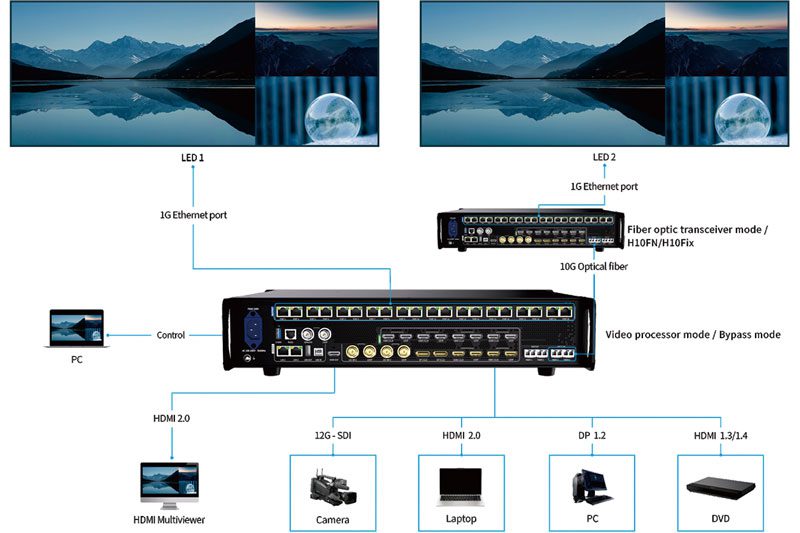
3.1 High-Resolution Input Support
The Colorlight VX20 accommodates up to 4K resolution inputs through its DP 1.4 and HDMI 2.0 connectors, ensuring compatibility with modern high-definition sources. This feature is particularly beneficial for applications requiring crystal-clear visuals, such as broadcast studios and live events.
3.2 Substantial Loading Capacity
Capable of handling up to 13 million pixels, the Colorlight VX20 supports a maximum width of 16,384 pixels or a maximum height of 8,192 pixels. This makes it suitable for large-scale LED displays, including video walls and outdoor signage.
3.3 Versatile Output Options
Equipped with 20 Gigabit Ethernet ports and 2×10G optical fiber ports, the Colorlight VX20 facilitates flexible and high-speed data transmission. These output options ensure stable performance even in complex installations.
3.4 Advanced Video Processing
The Colorlight VX20 supports seamless video source switching, cropping, splicing, and scaling. Additionally, it allows for the display of up to six adjustable windows, enhancing content presentation flexibility.
3.5 Audio Integration
With independent audio input and output ports, the Colorlight VX20 supports synchronized audio-visual experiences. It can extract audio from HDMI and DP inputs, ensuring high-quality sound delivery.
3.6 User-Friendly Control Interfaces
Multiple control options, including USB, RS232, LAN port, and mobile app control, cater to various user preferences and facilitate ease of operation.
4.Applications of Colorlight VX20
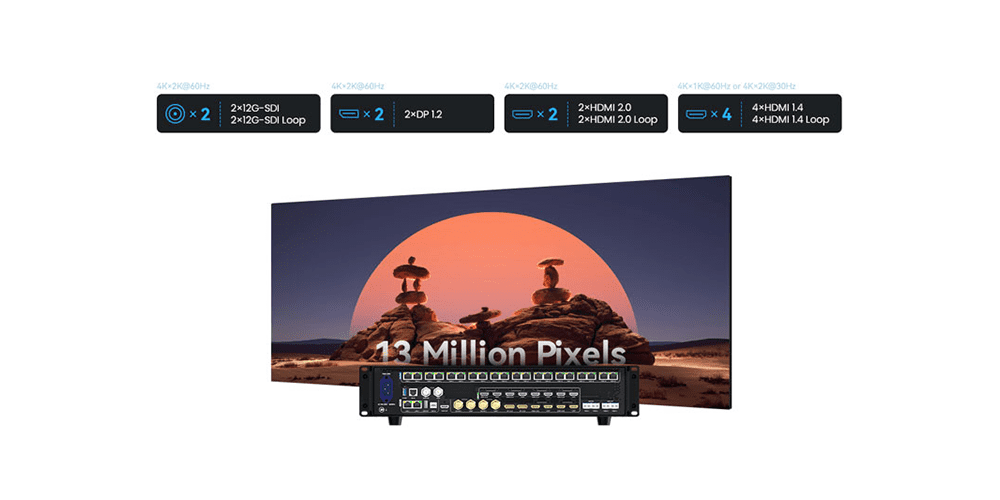
The Colorlight VX20 is engineered to manage high-resolution, large-scale LED screens, making it suitable for a variety of applications:
- Concerts and Live Events: Delivering high-resolution visuals to large audiences.
- Broadcast Studios:Managing complex video inputs and outputs with precision.
- Corporate Presentations:Enhancing communication with dynamic and clear displays.
- Sports Arenas:Providing spectators with real-time information and entertainment.
- Retail Environments: Creating engaging advertising and informational displays.
5.Installation & Setup of Colorlight VX20
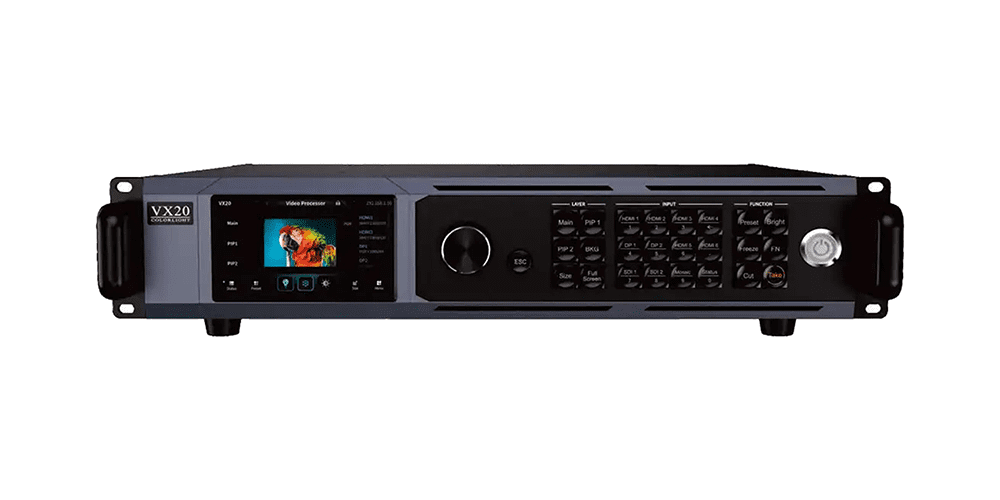
Setting up the Colorlight VX20 requires careful attention to detail. Follow these steps to ensure a smooth installation process:
Step 1: Download the user manual and relevant firmware
Visit the following link to obtain the latest user manual and specification:
You can also download the relevant resources directly from our Colorlight page.
Step 2: Hardware Connection
- Video Input: Connect the video source device (e.g., computer or media player) to the corresponding input port of the Colorlight VX20, including HDMI 2.0, DP 1.4, HDMI 1.4, and DVI.
- Network Output: Use a network cable to connect the Colorlight VX20’s 20 Gigabit Ethernet ports to the LED receiving card. For long-distance transmission, utilize the 2×10G fiber ports.
- Audio Connection:If audio output is required, use the Colorlight VX20’s independent audio input and output ports to transmit audio signals to the speaker system.
Step 3: Software Installation
Download and install the control software Colorlight iSet for the Colorlight VX20.
Step 4: System Configuration
- Device Detection: Launch the iSet software to ensure the Colorlight VX20 is properly connected and recognized.
- Screen Parameter Settings: Configure the resolution, scan mode, and other parameters of the LED screen in the software.
- Video Source Settings: Select and configure the video input source in iSet to ensure proper signal transmission.
- Multi-Window Layout: Set up a multi-window display as needed, supporting up to six adjustable windows to meet complex display requirements.
Step 5: Firmware Upgrade (Optional)
Use the LEDUpgrade tool to upgrade the Colorlight VX20’s firmware for the latest features and performance optimizations.
Step 6: Test and Adjust
After completing the above settings, test the display effect of the LED display. Adjust parameters such as brightness, color temperature, and grayscale as needed to ensure optimal performance.
6.The price of the Colorlight VX20
The Colorlight VX20 is competitively priced at approximately $4869, but the exact price may vary depending on the region and configuration. For bulk orders or customized solutions, please contact EagerLED or visit the official website for real-time pricing and availability information.
7.FAQs
Q1: Can the VX20 output to receiving cards directly?
Yes, the Colorlight VX20 acts as the sending controller itself, eliminating the need for additional sending cards.
Q2: Does it support higher refresh rates?
Absolutely! The VX20 supports frame rates ranging from 23.98 Hz to 240 Hz, depending on your configuration.
Q3: How many LED panels can it drive?
With a maximum pixel capacity of 13.1 million pixels (8-bit @ 60 Hz), the VX20 can handle large-scale installations efficiently.
Q4: Is fiber transmission supported?
Yes, the VX20 includes optical ports for long-distance transmission, though they cannot be used simultaneously with Ethernet outputs.
Q5: Is it suitable for smaller LED screens?
While the VX20 is designed for professional setups, it remains a reliable option for smaller displays, offering future-proofing and scalability.
8.Conclusion
The Colorlight VX20 professional video processor is characterized by its extensive range of input and output interfaces, impressive loading capability, cutting-edge video processing, and user-centric control interface functions. Whether it’s for live events, broadcast environments, or commercial displays, the Colorlight VX20 provides the performance and reliability required to meet and exceed the demands of modern LED displays. By following this comprehensive guide, you can unlock the full potential of the Colorlight VX20 and elevate your visual experiences to new heights.
 NovaStar TB20 Plus Review: A Powerful Multimedia Player for LED Displays
 Huidu HD-VP410C Review: Cost-Effective 3-in-1 LED Video Processor Explained