

EagerLED schools digital signage for sale
Tired of outdated bulletin boards and cluttered notices? EagerLED school digital signage is an all-in-one communication solution designed for the modern campus. We provide you directly with reliable, clear, and easy-to-manage LED displays, enabling you to deliver information to students, faculty, staff, and visitors with unprecedented efficiency and impact.

- 2K/4K/8K resolution support
- COB tech for sharp and efficient visuals
- only 38mm thick and weighing just 5.5kg
- Bright, high-contrast display
- Strong protection, long lifespan

- High refresh rate (3840Hz)
- Seamless splicing technology
- 750x250mm, 1000x250mm, and 500x500mm
- Independent modules with front maintenance
- Perfect for exhibitions, conference rooms, stages

- Double-Sided display for enhanced visibility
- Lightweight and durable die-cast aluminum frame
- Standardized 320x160mm modular size
- Quick-lock system for fast installation
- Space-saving suspended mounting option
Advantages of EagerLED schools digital signage
Wide Variety of Display Options:
We offer dedicated displays for various campus settings.
- Indoor High-Definition Screens: Perfect for hallways, libraries, and corridors. Featuring a high refresh rate, they remain comfortable and non-glare even when viewed up close. Ideal for displaying notices, posters, and videos.
- Outdoor High-Brightness Screens: With a brightness of up to 5000 nits, these displays remain clear even under direct sunlight. Fully waterproof, dustproof, and resistant to extreme temperatures, making them ideal for stadiums and school entrances.
- Indoor Small-Pitch Screens: Provide a seamless large-screen experience for command centers and meeting rooms. With delicate image quality, they are perfect for displaying complex data and video conferences.
- Flexible Creative Screens: Curvable, suitable for creating cylindrical, curved, and other creative shapes, adding a technological aesthetic to the campus environment.
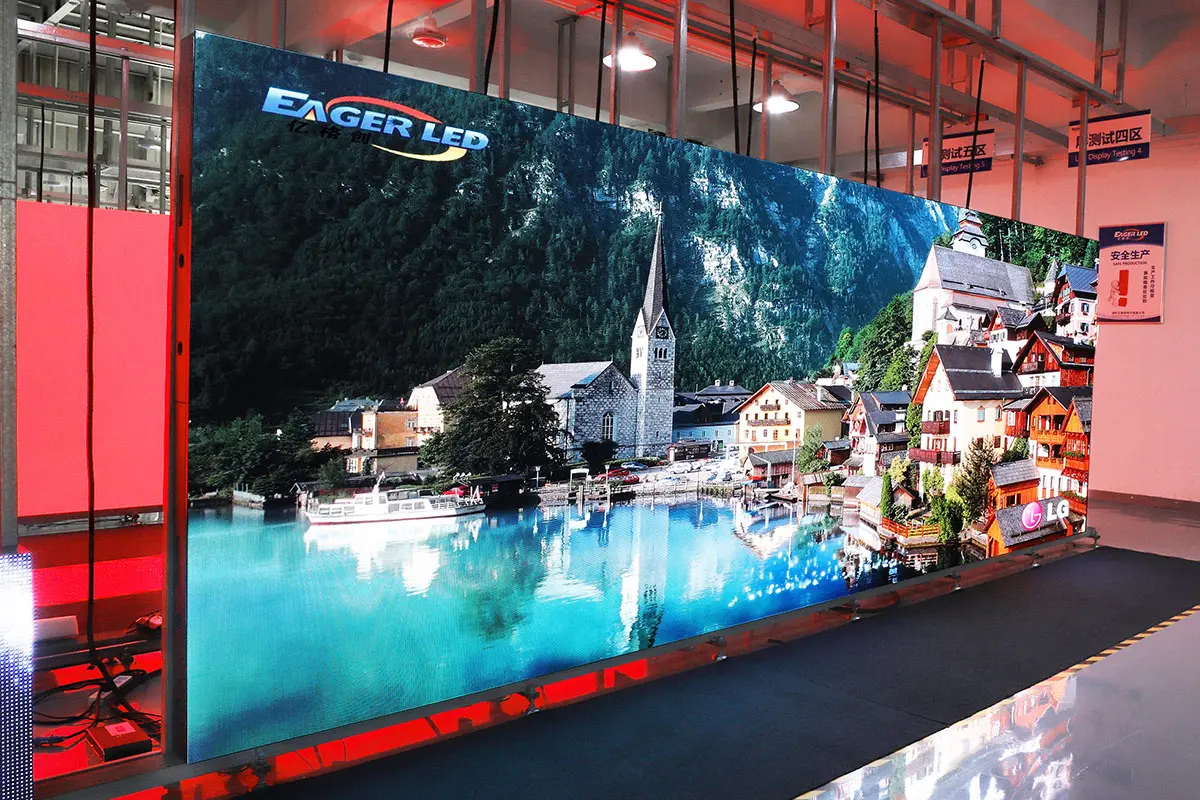

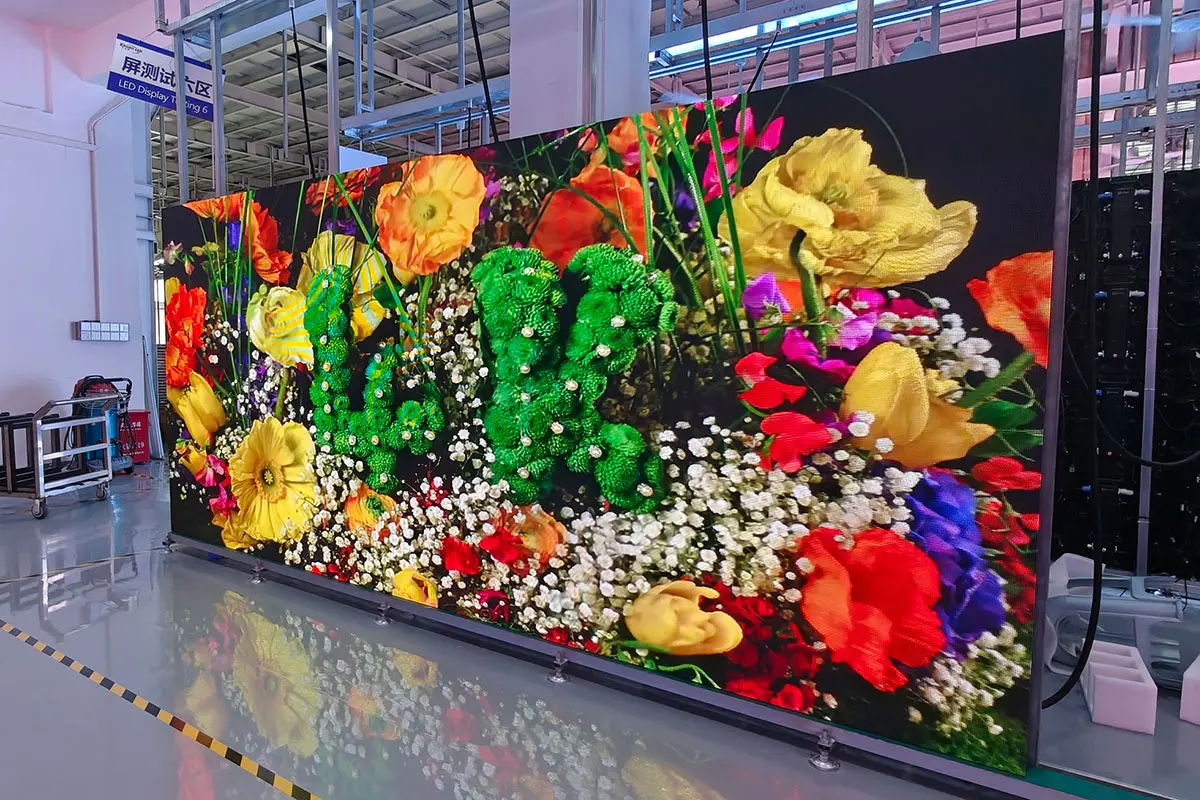
Pre-Shipping Burn-in Testing: Each schools digital signage unit undergoes a minimum of 72 hours of continuous burn-in testing before leaving the factory, simulating extreme conditions to proactively eliminate the risk of early-stage failures.
Robust Design Details: The housing of EagerLED schools digital signage is made of thickened aluminum, with an impact-resistant design on the mask, effectively protecting the delicate LEDs and easily handling impacts in high-traffic areas such as cafeterias and sports halls.
Energy-Efficient and Environmentally Friendly: Compared to traditional DLP or LCD video walls, EagerLED schools digital signage reduces energy consumption by about 30%, saving schools significant electricity costs in the long run.
7×12 Technical Support Hotline: Available from 8 AM to 8 PM on weekdays, you can directly communicate with an engineer for any operational or technical issues, rather than being passed through a customer service agent.
the best LED Street Billboard for you
digital signage for education Solution
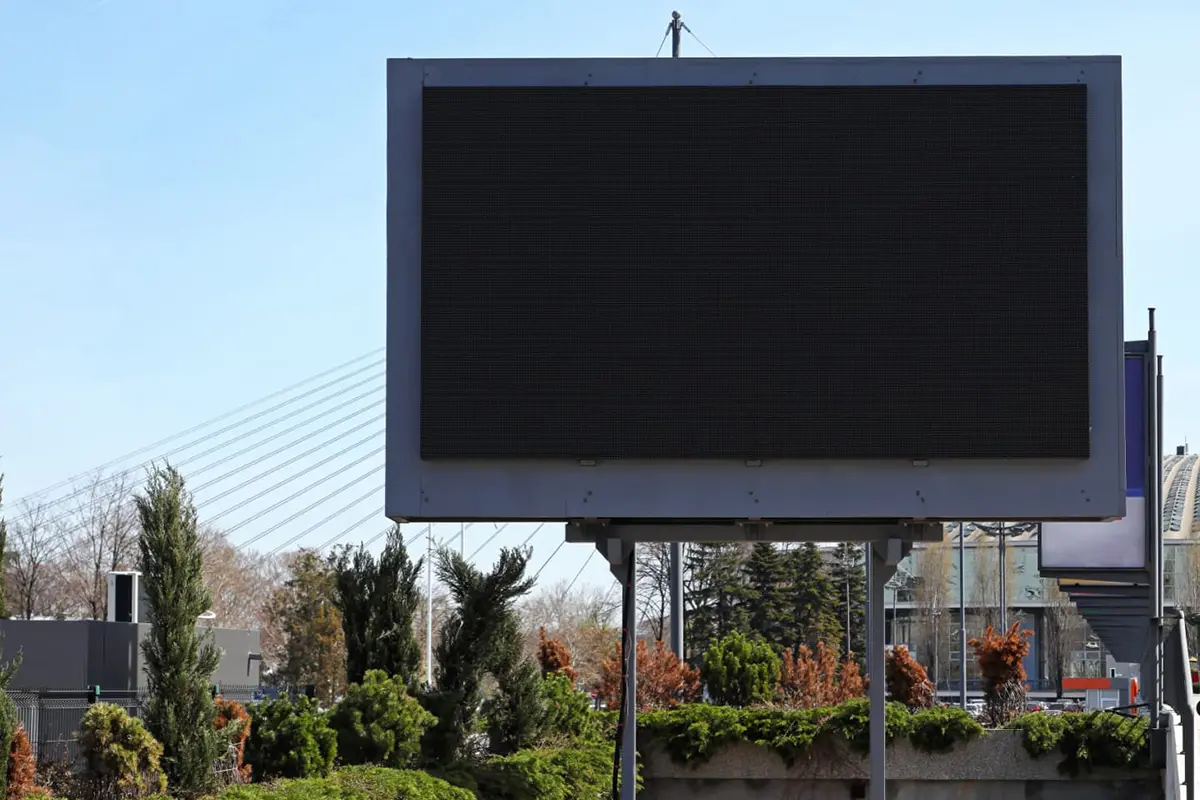
Outdoor High-Brightness Full-Color LED Display
Location: School Main Entrance / Outside the Gate
Core Purpose: The school’s “face,” used for image display and public information release.
Specific Applications:
- Scrolling welcome messages, school honors, and important announcements.
- Displaying traffic safety tips and weather information during peak school hours.
- Serving as a promotional window for events like new student orientations, leadership visits, and school anniversaries.
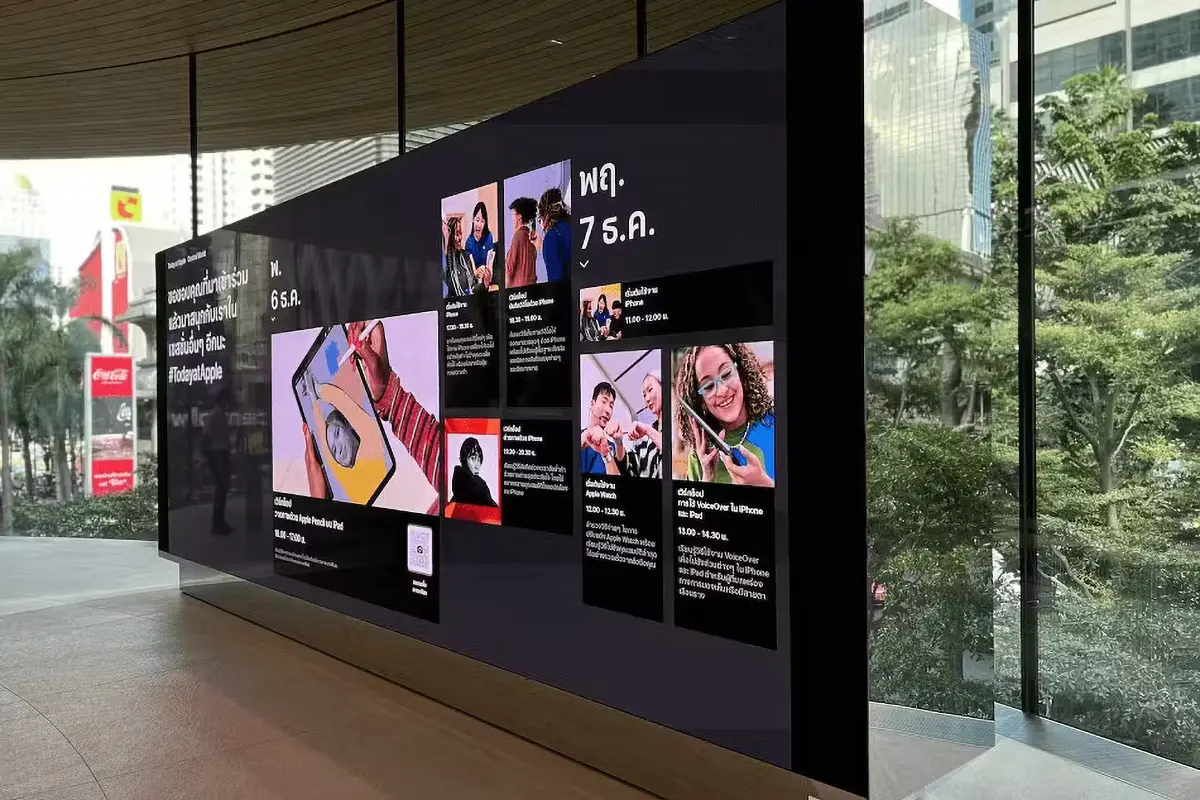
Campus information screen
Location: Teaching Building Lobby / Main Corridor
Core Purpose: The “information hub” within the campus, covering the areas with the highest foot traffic.
Specific Applications:
- Announcing daily notices, meeting schedules, and event previews.
- Showcasing achievements of outstanding students and teachers, academic accomplishments.
- Displaying real-time clock and weather updates.
- Broadcasting major events such as the opening ceremony, sports meets, and expert lectures.
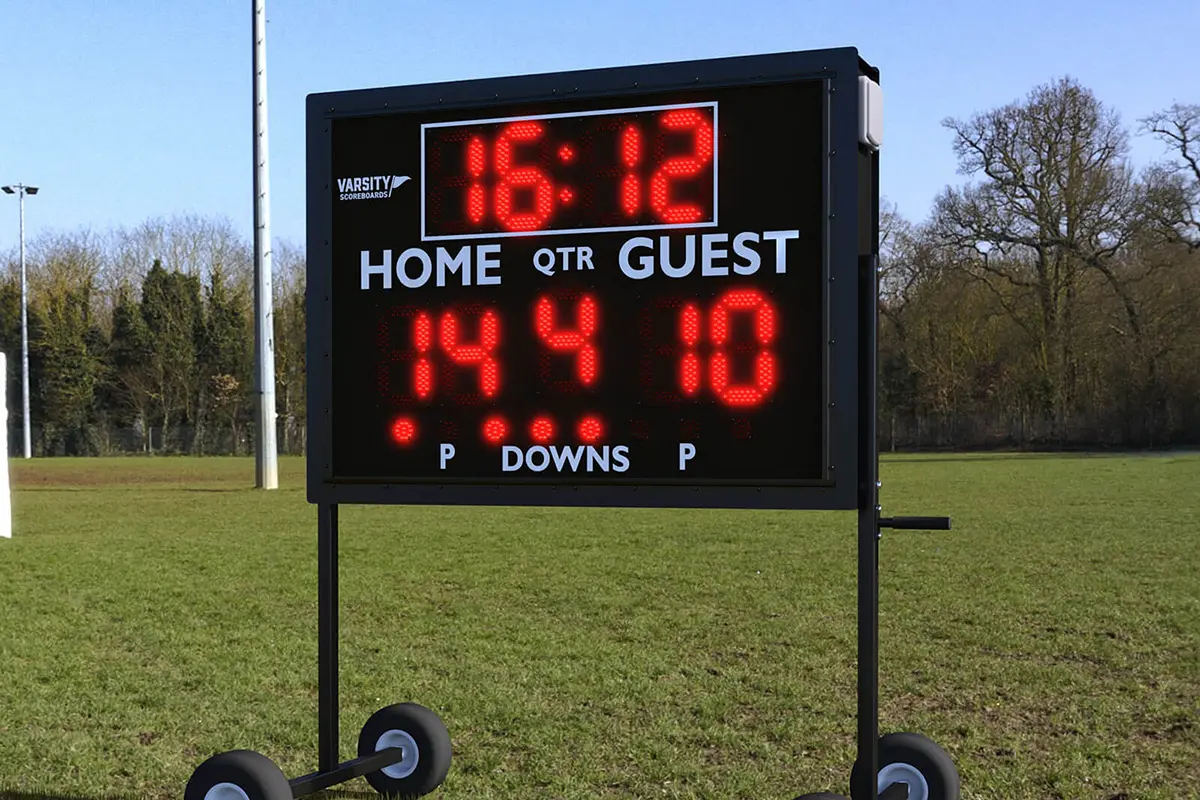
LED Scoreboard or Event Display
Location: Gymnasium / Sports Field
Core Purpose: The essential equipment for sports events and large-scale activities.
Specific Applications:
- Displaying real-time scores, times, and team information.
- Playing slow-motion replays to enhance the viewing experience.
- Used for live interaction and creating atmosphere during school sports events, concerts, and gatherings.

Library Display Screen
Location: Library
Core Purpose: Creating a quiet and orderly study environment, providing digital guidance.
Specific Applications:
- Displaying library rules, new book recommendations, and borrowing rankings.
- Showing real-time seat occupancy in various areas for smart guidance.
- Announcing academic lectures and book club activities.
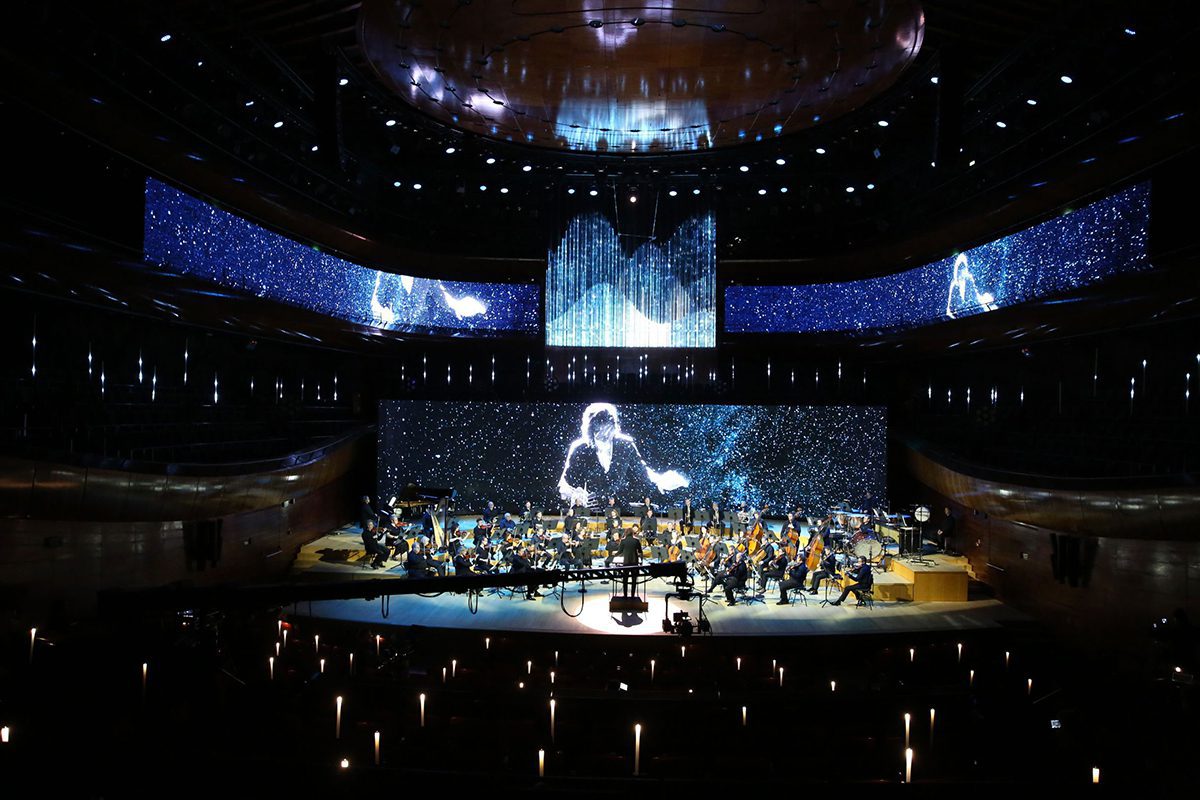
Stage Background Screen
Location: Auditorium / Lecture Hall
Core Purpose: Serving as a dynamic background for the stage, providing HD and seamless visual experiences.
Specific Applications:
- Used as the dynamic backdrop for meetings, speeches, and cultural performances.
- Real-time synchronization of the speaker’s PowerPoint or video materials.
- Creating an immersive atmosphere for event attendees.
the best LED Street Billboard for you
schools digital signage recommendations
Schools Digital Signage Guide: The Smart Way to Enhance education
At schools, have you ever been troubled by the following issues: urgent notifications not being delivered to all students and staff in time? Activity posters covering the hallways with no one paying attention? Parents getting lost in the corridors during visits? These are the core problems that schools digital signage aims to solve. It’s not just a screen, but an efficient communication hub for the campus. This guide will show you how digital signage systems can eliminate information chaos, improve operational efficiency, and make campus management simpler, more intuitive, and modern.
catalogue
- 1. Что такое цифровые вывески в школах?
- 2. Как цифровые вывески в школах улучшают доставку информации и управление кампусом
- 3. Как выбрать подходящую систему Digital Signage для вашего учебного заведения
- 4. Изучение ваших возможностей: 5 основных типов школьных цифровых вывесок
- 5. Какой бюджет требуется для установки цифровых вывесок в школах?
- 6. Как сэкономить на цифровых вывесках для образования?
- 7. FAQs
- 8.Conclusion
1. What is Schools Digital Signage?
When you hear “Schools Digital Signage,” you might first think of televisions or advertising screens hanging on the wall. But its meaning goes far beyond that.
Schools Digital Signage is an integrated information distribution system that combines hardware, software, and content. It uses high-definition LED or LCD displays, deployed in key areas around the campus (such as building lobbies, cafeterias, libraries, and administrative hallways), to deliver important information in a dynamic, visual format to students, staff, and visitors.
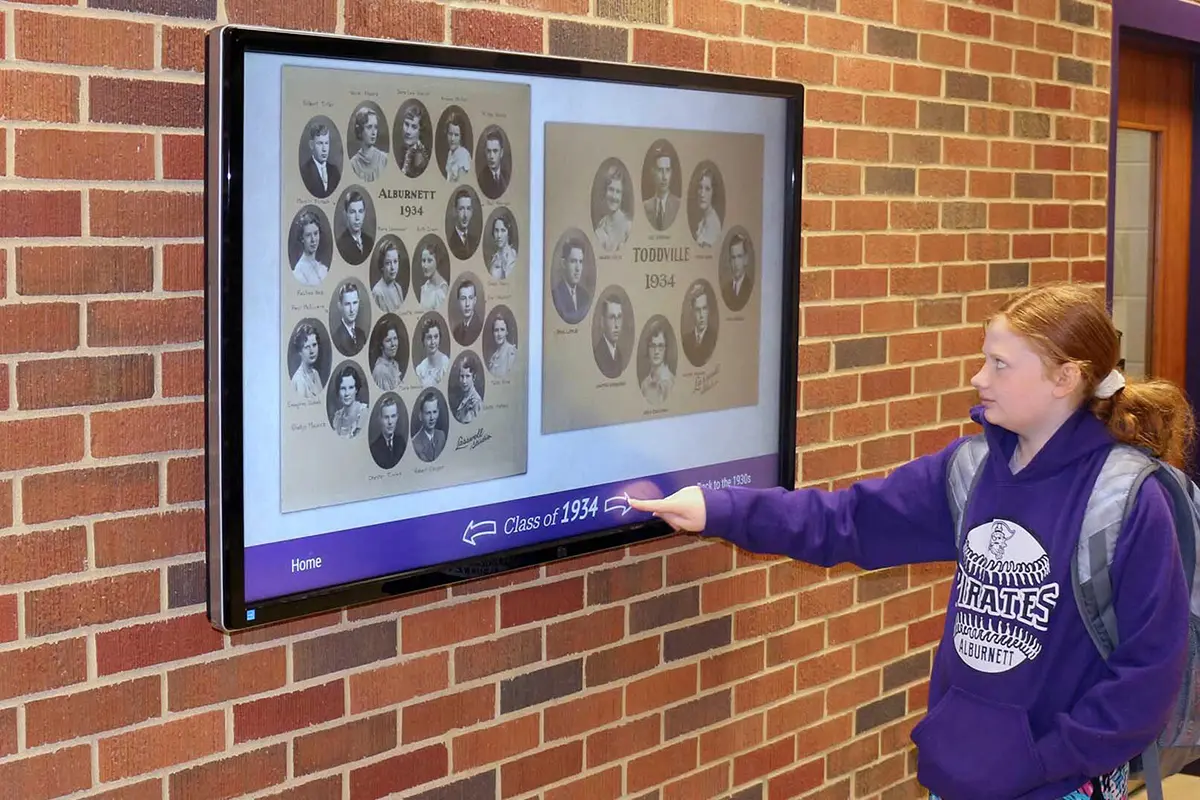
The Three Core Components of Schools Digital Signage Systems
The Hardware (Displays):
This includes indoor and outdoor LED screens, LCD touch-integrated devices, and other types of displays. They are responsible for presenting all content in high quality, from vibrant videos to clear text notifications.
The Software (CMS – Content Management System):
Usually a cloud-based online platform, the CMS allows administrators to manage content remotely. Without touching any hardware, they can log in from a computer or mobile app—whether in the office or at home—and:
- Remotely control the content displayed on all or specific screens.
- Publish urgent notifications with a single click, instantly covering the entire school.
- Schedule content to play automatically at designated times (e.g., during breaks, lunch hours).
- Use a drag-and-drop editor to easily design attractive layouts.
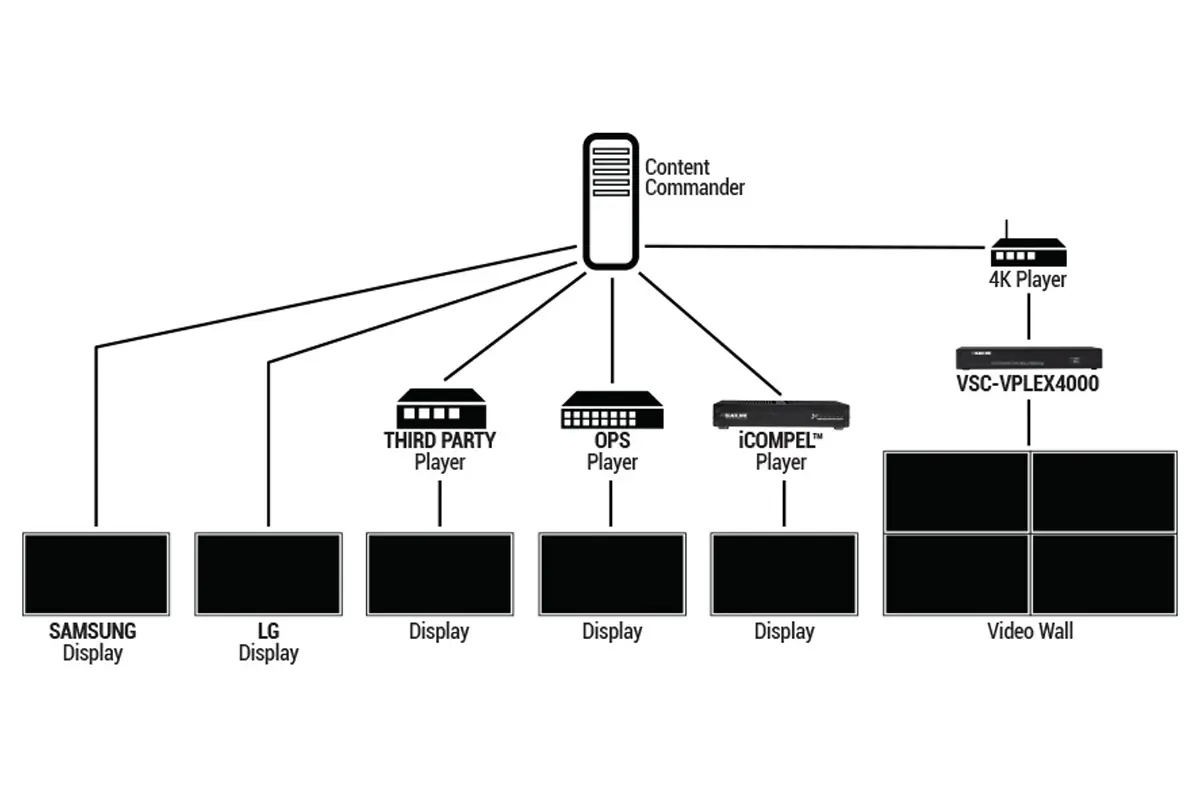
The Connectivity & Content:
The content displayed by digital signage systems is much more than simple images or text; it can also incorporate real-time updates and flexible network connectivity. The campus network provides the infrastructure for the system, allowing content to be pushed to displays in real-time via a local area network (LAN) or Wi-Fi. This means that schools can quickly publish:
- Announcements and notifications: Real-time information on schedule changes, exam arrangements, student activities, etc.
- Emergency alerts: Natural disasters, fire alarms, evacuation instructions, ensuring rapid response.
- Campus dynamic content: School news, sports events, art activities, and more to strengthen the connection between students, teachers, and the school.
2. How Schools Digital Signage Improves Information Delivery and Campus Management
Schools Digital Signage, as an innovative method of information dissemination, is gradually transforming the flow of information and management on and off campus.
Improving the Efficiency of Information Delivery
Traditional bulletin boards and manual notification methods are no longer sufficient to meet the demands of modern campuses, especially when information updates are frequent or urgent. With Schools Digital Signage, schools can achieve real-time information updates. Administrators can remotely control all displays through the content management system and instantly publish important notifications. For example, schedule changes, campus events, emergencies, or other key content can be accurately delivered to all students, staff, and visitors within a short time.
Enhancing the Convenience of Campus Management
Schools Digital Signage is not just a tool for information delivery; it can also optimize the management processes of the school. By dynamically displaying important data or notifications, school administrators can reduce the workload associated with paper notices and verbal communication, as well as minimize errors or delays in information transmission. The digital signage system also supports scheduling features, allowing content to automatically switch based on specific times, ensuring that departments such as cafeterias, libraries, and classrooms receive the information they need when they need it.

Boosting Overall School Efficiency and Interactivity
One of the highlights of digital signage is its interactivity. Schools Digital Signage can enable smarter campus management through interactive features like touchscreens. For example, students can use the touchscreen to check their class schedules, event schedules, or even book meeting rooms.
Supporting a Variety of Content Displays
LED Digital Signage goes beyond traditional notices and announcements. It can display a wide range of dynamic content, such as school news, real-time announcements, weather forecasts, student activities, sports events, and more.
Optimizing Emergency Management and Safety
In terms of safety management, digital display boards for schools also play a crucial role. By installing digital signage at key locations, schools can quickly issue evacuation instructions, alarm messages, and other safety reminders in case of emergencies.
3. How to Choose the Right Schools Digital Signage for Your Institution
Here are several key factors to consider when selecting the right digital signage for education:
Define Your Needs: Basic Notifications or Interactive Experience?
Before choosing a Schools Digital Signage system, it’s essential to clarify your institution’s needs. Do you simply need it to display notifications and announcements, or do you require more complex interactive features, such as class schedules, student feedback, etc.?
For schools where information dissemination is the primary function, a simple static content display may suffice. However, for schools that focus on interaction between students and staff, touchscreen functionality and dynamic content displays are essential.
Choose the Right Display Hardware: LED vs. LCD
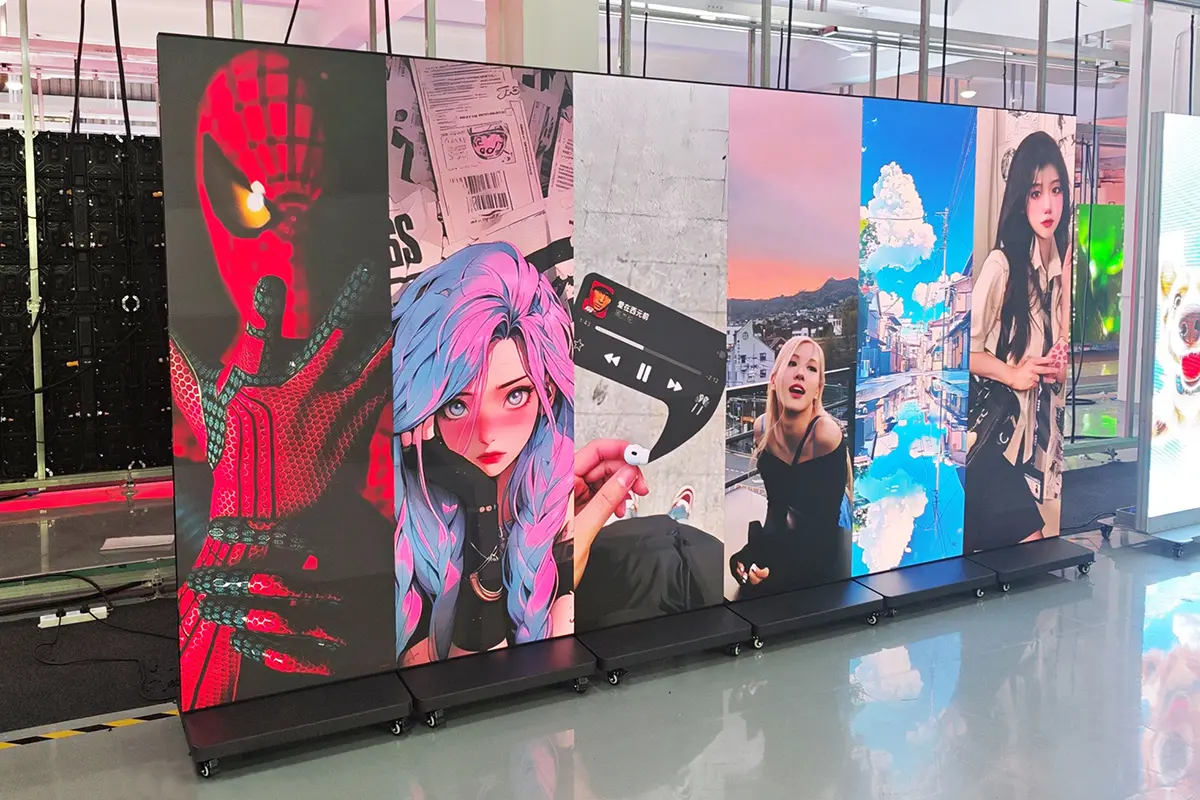
LED displays typically offer higher brightness, longer lifespan, and greater durability compared to LCD screens, making them more suitable for outdoor or brightly lit environments. LED displays are also more energy-efficient and better suited for 24/7 operation. On the other hand, LCD displays are ideal for quieter indoor environments, such as classrooms and libraries, within the school.
Consider the Ease of Use of the Content Management System (CMS)
An easy-to-use content management system (CMS) is a crucial factor when choosing Schools Digital Signage. Make sure that the system allows for remote management of all displays and supports operation via web browsers or mobile devices. The interface should be simple and intuitive, so that even non-technical staff can easily manage content publishing, scheduling, and emergency notifications.
Network Connectivity and Compatibility
Many digital signage systems for education rely on local area networks (LAN) or Wi-Fi for content updates and remote control. Therefore, it’s important to ensure that the school’s network is stable and has wide coverage. Additionally, consider the system’s scalability to support future growth in campus needs.
Consider the Budget and Maintenance Costs
Budget is an important consideration when choosing a digital display board for schools. Beyond the initial purchase cost, it’s important to evaluate the long-term maintenance and operational costs, including content updates, hardware maintenance, and technical support. Choose systems that offer good value for money and reliable after-sales service to ensure stable long-term operation and avoid frequent repairs or updates.
Vendor’s Technical Support and Service
Digital signage systems may encounter various technical issues during use, so it’s crucial to choose a reliable vendor that provides timely technical support and troubleshooting services. Look for vendors that offer 24/7 service, remote tech support, and on-site maintenance to ensure system stability and reliability.
4. Exploring Your Options: 5 Main Types of School Digital Signage
Different types of digital display boards are suitable for different scenarios, ranging from basic notification displays to interactive information platforms. Below are five common types of school digital signage, each with its unique features and advantages:
Indoor LED Displays
Indoor LED displays are the most common type of digital signage system. They are typically used in classrooms, hallways, libraries, cafeterias, and other areas to display class schedules, student activities, important notifications, and more. Due to their high brightness and clarity, LED displays provide excellent visual experiences in various lighting conditions.
Advantages: High-definition display, low energy consumption, durable, suitable for all-day use.
Application Areas: Classrooms, hallways, cafeterias, libraries.
Outdoor LED Displays
Outdoor LED displays are specifically designed for outdoor environments, able to withstand harsh weather conditions such as rain and sunlight. These displays are commonly found at school entrances, parking lots, sports fields, and other outdoor areas, where they can display real-time announcements, emergency notifications, weather updates, and more.
Advantages: Weather-resistant, all-weather operation, high brightness, long-distance visibility.
Application Areas: School entrances, sports fields, parking lots.
Interactive Touch Screens
Interactive touch screens are a highly useful tool in Schools Digital Signage, allowing students and staff to perform self-service queries and interact with the system. Through the touch screen, students can view schedules, activity information, school news, and even submit feedback.
Advantages: High interactivity, enhances information retrieval efficiency, increases engagement for students and staff.
Application Areas: Reception areas, classrooms, libraries, bulletin boards.

Digital Menu Boards
Digital menu boards are a special type of schools digital signage, widely used in school cafeterias and dining areas. These displays can show real-time menus, food choices, nutritional information, prices, and healthy eating suggestions. In addition, digital menu boards can also display advertisements, student activities, and campus news.
Advantages: Real-time updates, easy to manage, paper-saving.
Application Areas: School cafeterias, dining halls, cafes.
Video Walls
A video wall is a massive display array made up of multiple screens, providing stunning visual effects. They are ideal for important school events and venues, such as sports events, graduation ceremonies, and school anniversaries.
Advantages: Ultra-large screens, exceptional visual effects, multiple content displays
Application Areas: Gymnasiums, large lecture halls, graduation ceremonies, school anniversary events.
5. How Much Budget Does Schools Digital Signage Require?
Hardware Costs
Hardware is the core component of a digital signage system, and prices vary depending on the type, size, and functionality of the display. Common hardware costs include:
- Indoor LED Displays: Prices typically range from $500 to $5,000, depending on the size and resolution. Larger and high-definition screens may require a higher budget.
- Outdoor LED Displays: Displays designed for outdoor environments require special features such as waterproofing and dust resistance. Prices generally range from $2,000 to $10,000, depending on the screen size and durability.
- Interactive Touch Screens: If the school requires interactive functionality, the price for a touchscreen display typically ranges from $1,000 to $5,000, with larger sizes and more features increasing the cost.
- Video Walls: Large display arrays made up of multiple screens typically cost from $10,000 to over $50,000, depending on the number and size of the screens.
Content Management System (CMS) Costs
The Content Management System (CMS) is the “brain” of the digital signage system, responsible for remotely controlling and managing the content on all displays. Common CMS pricing models include:
Subscription Fees: Most CMS platforms operate on an annual subscription model, with costs ranging from $500 to $3,000 per year, depending on features, number of users, and the number of devices.
One-Time Purchase Fee: Some CMS platforms offer a one-time purchase option, with prices typically ranging from $3,000 to $10,000, ideal for schools requiring long-term use.
Installation and Setup Costs
Installation and setup costs primarily include hardware installation, wiring, and system debugging. Typical installation fees include:
Simple Indoor Display Installation: Around $500 to $1,500, typically for smaller systems.
Complex Installations (e.g., outdoor displays or video walls): Installation costs are higher, typically ranging from $2,000 to $5,000, as these involve more wiring, brackets, and electrical work.
Budget Range Estimation
Depending on the size and needs of the school, the total budget for a Schools Digital Signage system can range from a few thousand to tens of thousands of dollars. Below is an estimated budget range for different types of schools:
- Small School/Single Campus: Around $5,000 to $15,000, suitable for basic indoor displays, CMS subscriptions, and basic installation.
- Medium School/Multiple Buildings: Budget range of approximately $15,000 to $50,000, covering multiple displays, content management systems, and installation costs.
- Large School/Multiple Campuses: Budget range typically from $50,000 to over $100,000, especially if it involves outdoor displays and video walls, requiring a higher investment.
6. How Can I Save on My Budget for Digital Signage for Education?
Avoid Blindly Pursuing High-End Digital Display Boards
Selective Investment: If the school’s primary need is information dissemination rather than interactive experiences, consider opting for standard LED or LCD displays instead of more expensive interactive touch screens or large video walls.
Indoor vs. Outdoor Displays: For outdoor environments, choose LED screens that are suitable for waterproof and dustproof conditions, rather than purchasing high-brightness screens with unnecessary features, thereby reducing unnecessary expenses.
Gradual Upgrades: If the budget is limited, start with a small number of devices and expand gradually. For example, begin with a few displays for trial operation, and after assessing the effectiveness, consider increasing the number of devices.

Evaluate Product Quality and Technical Specifications
While price is an important factor in purchasing decisions, the quality and technical specifications of the products should not be overlooked. Ensure that the equipment offered by the supplier meets the school’s needs:
Display Quality: Check the resolution, brightness, contrast, and other specifications of the displays to ensure they provide clear visibility in the school’s environment.
Software Features: Different CMS systems have various features and user interfaces. Choose systems that are easy to use, support remote management, offer scalability, and come with a wide range of functionalities.
Compatibility: Verify the compatibility of the hardware with the school’s existing equipment to avoid compatibility issues after purchase, which could lead to additional costs and adjustments.
Consider After-Sales Service and Technical Support
After-sales service and technical support are key factors influencing purchasing decisions. Ensure the supplier provides the following:
Warranty Period: Understand the warranty period for hardware and software, and whether it covers equipment repair and software updates.
Technical Support: Confirm the types of technical support the supplier offers, such as phone support, remote assistance, or on-site maintenance. Good technical support ensures quick recovery in case of system failure.
Regular Maintenance Services: Some suppliers offer periodic check-ups and maintenance services to ensure the equipment is always in optimal condition, preventing unexpected failures.

Evaluate Long-Term Costs and Potential Fees
When selecting a supplier, consider not only the initial purchase cost but also the long-term operational and maintenance expenses:
Upgrade and Update Fees: Confirm whether there are additional costs for software updates, hardware upgrades, or content management system expansions.
Renewal and Subscription Fees: If you choose a subscription-based CMS, inquire about the annual renewal fees and whether there’s any risk of price increases.
Hidden Fees: Be sure to ask about any hidden fees, such as installation charges, logistics costs, or additional accessory fees.
7.FAQs
8.Conclusion
With the right strategy, schools digital signage will not only save time and resources but also create a more informed, connected, and engaging school environment for everyone involved.
If you’re ready to improve communication and enhance your campus experience with digital signage, it’s time to explore the options and make a smart, informed investment!
