

2026-10-27T13:29:34+00:00October 27, 2026|
2026-10-27T13:23:03+00:00October 27, 2026|
2026-10-27T13:12:56+00:00October 27, 2026|
An LED screen calibration backup should preserve the approved color and brightness correction data for the actual installed cabinets, with a clear way to match that data to cabinet IDs and a tested recovery procedure. A controller preset or receiving-card configuration file alone is not proof that a replacement module will match the surrounding image. Ask for the file inventory, hardware and software versions, cabinet map, ownership and access plan, and a supervised restoration check before handover.
This article is for an AV integrator accepting a fixed-installation system and its spare parts. It explains what to request from the supplier, rather than telling an untrained operator to write calibration values to live hardware. File names and restoration options vary by controller, receiving card, module memory, calibration workflow, and software version.
An LED screen calibration backup is not the screen configuration
A working LED wall depends on several different layers of information. The receiving-card configuration tells a particular card how to drive the attached module or cabinet. The screen-connection map assigns cabinets and data routes to positions. Calibration coefficients correct pixel or module brightness and color differences. Controller presets and firmware versions may also matter, but neither is a replacement for the actual calibrated data.
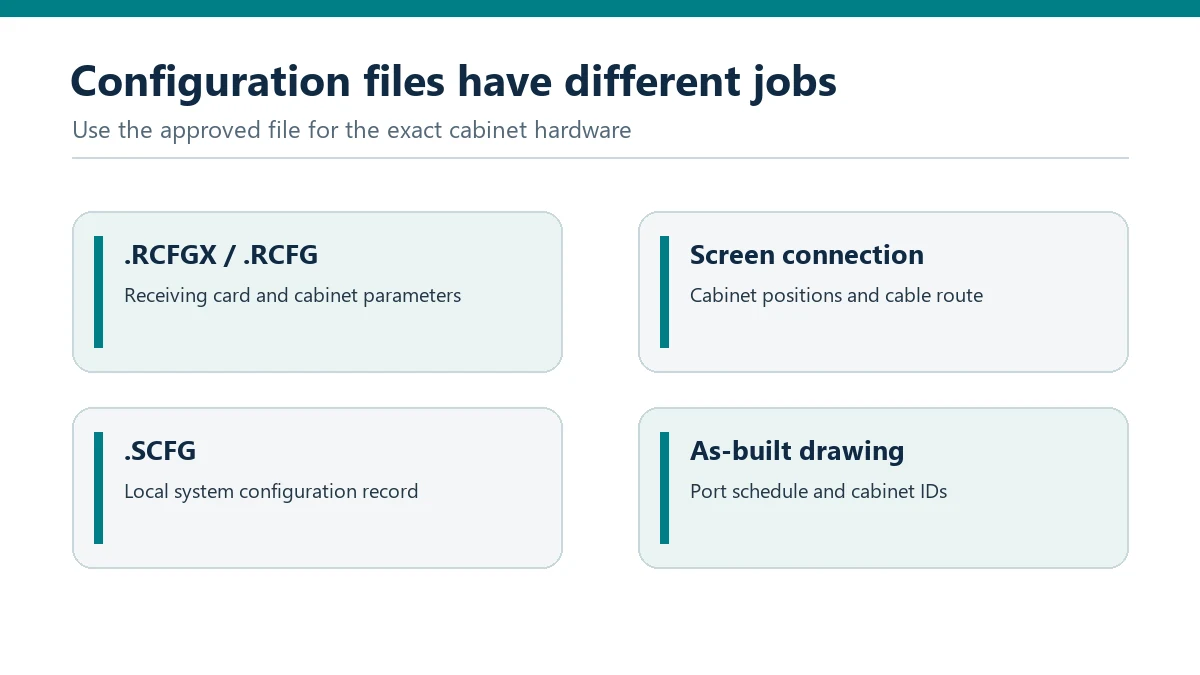
NovaStar’s NovaLCT synchronous-system manuals illustrate this separation. They describe receiving-card configuration files and screen-connection files as distinct items; the calibration section separately covers saving coefficients in a database and applying them to specified receiving cards or modules. Some supported hardware can store coefficients in module flash memory, but that depends on the model and configuration. Do not assume the presence of module flash or automatic restoration on an unspecified screen.
The diagram below comes from the site’s existing NovaLCT setup guide. It is an illustrative comparison of configuration-file roles, not a screenshot of a customer’s installation. A handover package should name the actual file formats and software version used for the purchased system. The NovaLCT setup guide covers the software workflow; this article focuses on what an owner needs to receive and verify.
Request a file inventory tied to the supplied equipment
Ask the supplier to provide an inventory rather than an unlabeled archive. Each item should have a file name, purpose, creation date, source system or cabinet, applicable hardware revision, software version, and the responsible person who approved it. Record where the authoritative copy is stored and whether the owner may use it for repair. If a proprietary calibration database cannot be transferred, agree in writing who retains it and how a replacement will be calibrated later. In that case, the LED screen calibration backup handover must identify a usable service path instead of implying the owner has a local copy.
The following table is a handover checklist, not a guarantee that every system uses the listed extensions. An LED screen calibration backup is complete only when the items required for that particular hardware and service agreement are present and usable.
| Record | Why the owner needs it | Acceptance evidence |
|---|---|---|
| Receiving-card or cabinet configuration | Restores drive parameters for the approved electronics. | Exact card and cabinet version; authorized loading method. |
| Screen-connection and cabinet map | Matches data ports, cabinet order, and physical position. | As-built drawing with cable route and cabinet IDs. |
| Calibration coefficients or database | Supports visual matching after an approved replacement. | Scope of calibrated cabinets; version; recovery test record. |
| Controller presets and version record | Helps reproduce accepted source and output settings. | Model, firmware/software versions, input and output schedule. |
Include a plain-language restore sequence written for the actual system: who may act, what must be checked before a write, what file belongs to each replacement component, and what acceptance image is used afterward. Store a read-only copy of the final approved package. A USB stick without a version record or ownership plan can be lost, overwritten, or confused with an earlier commissioning trial.
Match calibration data to cabinet and module identity
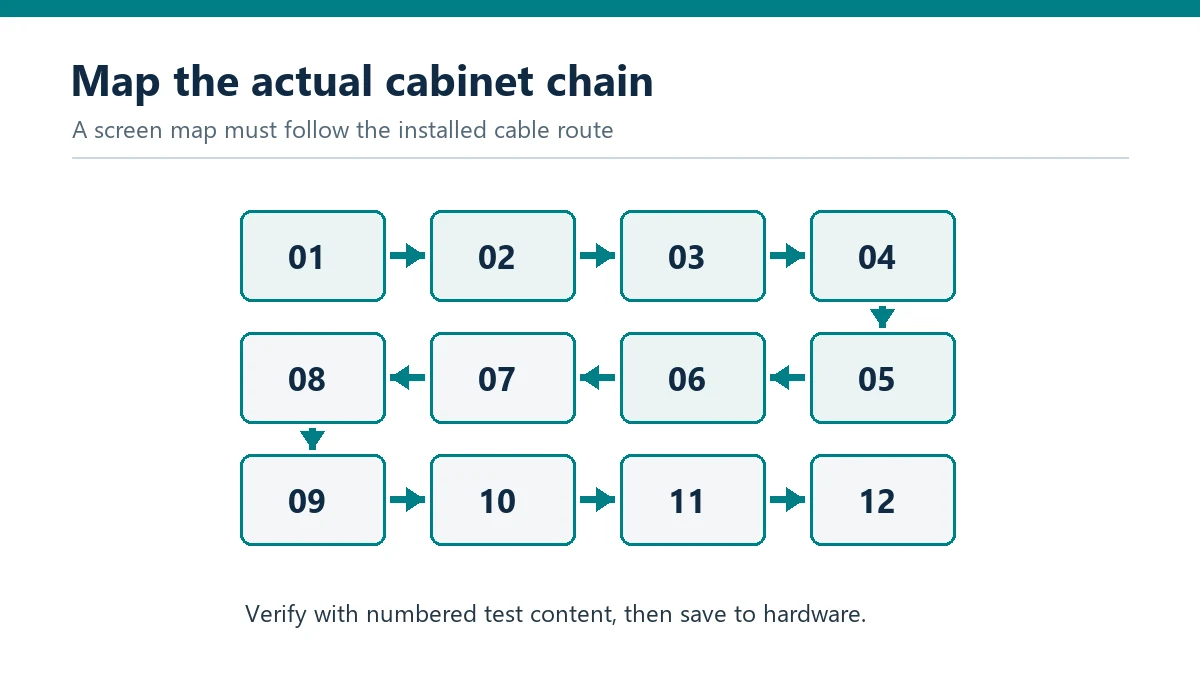
Cabinet location matters. A screen may be wired in a serpentine data path that does not follow left-to-right visual order. Ask for a map that links physical cabinet labels, receiving-card addresses, data ports, and calibration records. When a cabinet or module is replaced, the technician must know whether the approved process restores data by cabinet ID, by physical position, from module memory, or through a new calibration step. The answer depends on the installed system. This identity mapping is part of a usable LED screen calibration backup, not an optional filing detail.
This illustrative map shows why an LED screen calibration backup cannot be applied blindly. Its numbered chain is only an example; the as-built route at the venue must come from the final installation. The supplier should demonstrate that the records actually correspond to the hardware delivered, not just to a factory test wall with another cabinet order.
Do not treat a matching pixel pitch as proof that replacement parts will share calibration data. LED batch, driver electronics, module revision, receiving card, and configuration can differ. The site’s spare-module compatibility guide explains the physical and visual checks to make before a replacement is approved. Use that process together with the file inventory, not as a substitute for it.
Prove recovery before acceptance
At commissioning, ask the supplier’s qualified technician to demonstrate a controlled recovery on the supplied system or an approved test assembly. A safe test does not require deliberately erasing the live wall. The team can show that the backup opens in the documented software, that its target hardware and cabinet labels match the as-built map, and that a defined spare can be restored or visually matched using the approved method. Record the result, limits, and who performed it.
The acceptance image should include uniform white and gray fields, color patches, fine text or lines, and normal customer content at the agreed brightness. Compare the replacement area with neighboring cabinets from the intended audience positions. A module that lights up is not necessarily matched. If the restoration requires a new camera-based calibration, document the equipment, personnel, schedule, and cost responsibility rather than claiming the saved file alone solves the problem.
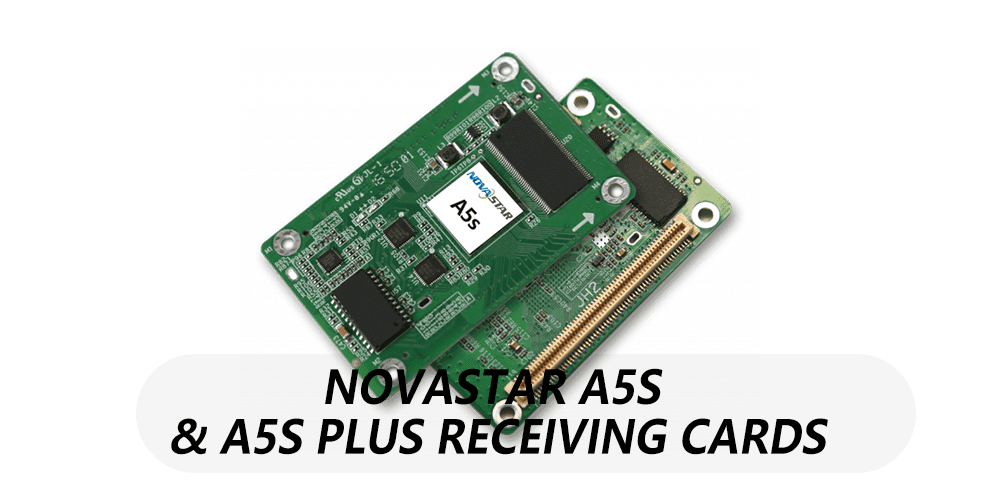
NovaStar’s manual cautions users to back up a calibration database before erasing coefficients. That reinforces the procurement point: changes to calibration data can affect the image and may be hard to reverse. Keep write operations with the trained service team and the current approved procedure for that hardware. Do not use a random file found on a different cabinet or a downloaded preset as a shortcut.
Keep the backup usable after the original installer leaves
Store the approved archive in two controlled locations with a documented owner, access list, and change history. Save the acceptance date, cabinet serial or ID range, controller and receiving-card versions, and a copy of the as-built drawing next to the files. Keep a separate note when a module or cabinet is replaced and the active calibration state changes. Otherwise a once-correct LED screen calibration backup can become stale after routine repairs.
Restrict access because system backups may include network addresses, configuration details, or operational settings. Hand over the access procedure through the organization’s normal secure channel; do not paste credentials into a public article or quote. Agree who can obtain support if software licensing, proprietary tools, or factory calibration databases are needed. The spare-parts quote guide helps align that service plan with actual purchased stock and replenishment terms.
Frequently asked questions
Is a receiving-card configuration file the same as calibration data?
No. Configuration describes how supported hardware drives and maps LEDs; calibration data corrects measured output differences. The precise files and storage locations depend on the installed system, so ask for both roles to be identified in the handover inventory.
Can a replacement module automatically recover its calibration?
Only if the particular module, receiving card, memory feature, and configured workflow support it. Some NovaLCT-documented systems can use module flash, but the buyer should ask for a demonstration on the supplied hardware instead of assuming automatic recovery.
Should the owner receive every factory calibration file?
That is a contractual and technical handover question. Request the data or a documented service path needed to maintain the purchased screen. If proprietary tools or databases remain with the supplier, define access, response responsibilities, and the cost of later replacements in writing.
Request the recovery package with the screen
Provide the installation country, screen dimensions, indoor or outdoor environment, viewing distance, operating schedule, cabinet and receiving-card models, and the planned spare stock. Ask for an LED screen calibration backup inventory, as-built cabinet map, version record, owner access plan, and a demonstrated replacement procedure for the actual system. Send the project details to EagerLED so these deliverables can be discussed with the equipment and service quote.
 Curved LED Wall Radius: How to Specify a Rental Curve