
2026-10-16T02:30:23+00:00October 16, 2026|
2026-10-16T02:28:57+00:00October 16, 2026|
2026-10-09T02:41:38+00:00October 9, 2026|Tags: 3D Billboard, LED Display Knowledge, Naked-Eye 3D|
A transparent LED screen price is comparable only when both suppliers quote the same active image area, display configuration and delivered scope. For a shop owner reviewing proposals, the useful number is the cost of a working window installation with the required content and service access. A low equipment subtotal can omit work that another bidder has already included.
This guide is for retail buyers who have reached the quotation stage. It explains how to reconcile offers line by line, record exclusions and send a focused clarification request. It does not provide a current market price or promise that one construction is cheaper. Final prices require an approved layout and a supplier quotation for the installation location.
1. Freeze the transparent LED screen price comparison brief
Give every bidder one dated drawing and one description of the intended result. Include the shop location, window opening, proposed image rectangle and the direction people approach. Mark the door, mullions, display furniture and access behind the equipment. A photograph without dimensions leaves suppliers to make different assumptions, which can make their prices impossible to compare.
Assign the drawing a revision name. If the landlord later changes the fixing position, circulate the same revision to all shortlisted suppliers. Keep the previous quotation for reference, but do not mix its hardware quantity with installation costs calculated for a different layout. Your comparison should identify the drawing used by each bidder.
Write the display task in practical terms: for example, a store campaign facing pedestrians, updated by store staff, with merchandise visible behind the glass. Name the smallest important message and the closest viewing position. This gives suppliers a common basis for proposing image detail and a sample test, without specifying an arbitrary brightness or pitch before reviewing the window.
Also state whether equipment remains inside a protected shop or faces outdoor exposure. An indoor display facing the street is not automatically an outdoor installation. Resolve sunlight, ventilation, moisture and maintenance conditions against the exact product documentation. Treat any missing site assessment as an open item in the transparent LED screen price comparison.

2. Reconcile the active area and cabinet quantity
Check the denominator before comparing a price per square meter. Window area, cabinet envelope and active display area describe different quantities. Ask the bidder to identify which quantity appears on the quotation and show how it relates to the drawing. Doors, gaps and unselected panes should not become billable image area.
For a cabinet solution, request the number of cabinets across and down, their orientation and their actual dimensions. For film, request the approved sheet or module layout and the associated wiring zones. The two formats need separate installation descriptions. A statement such as “fits the window” does not identify the boundaries or the space needed to remove components.
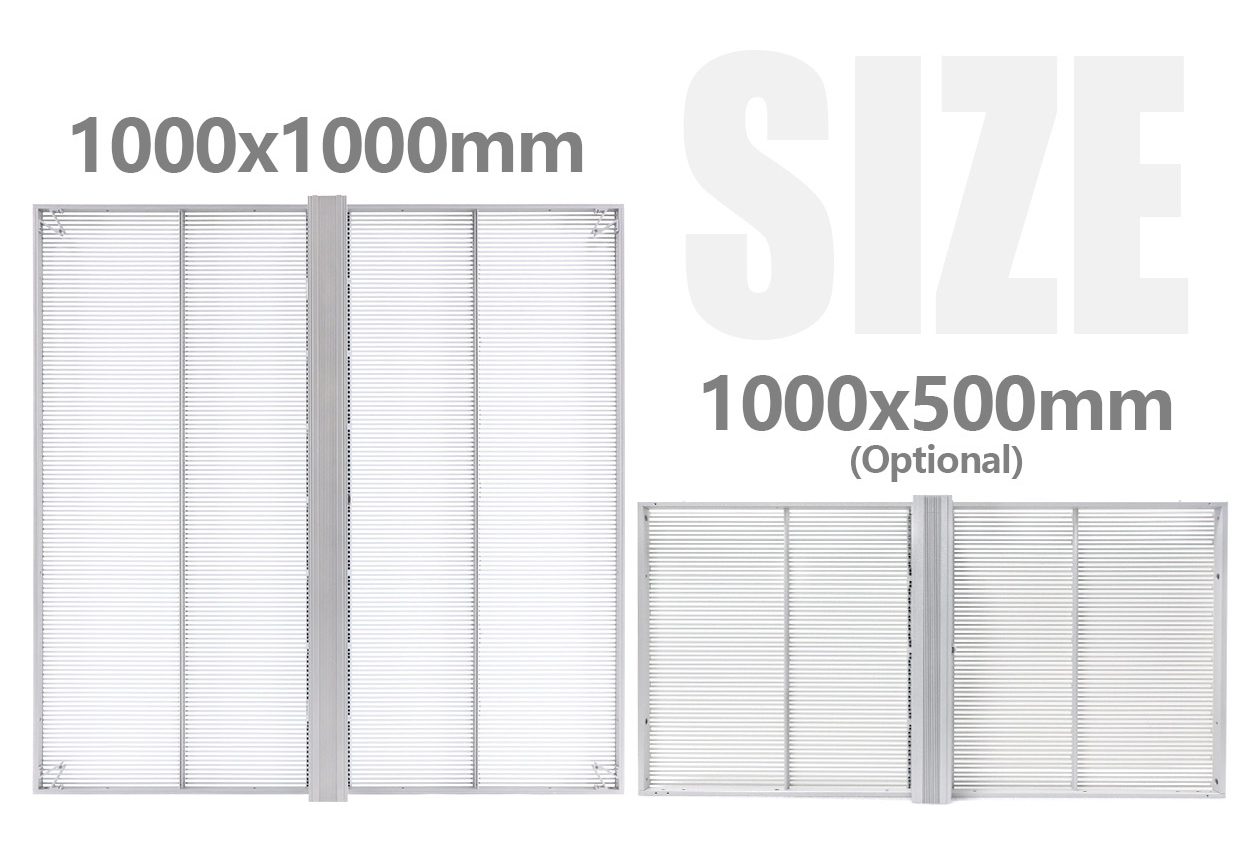
The EA1000TiF2 product reference shows nominal 1000 × 1000 mm and 1000 × 500 mm cabinet options, approximately 39.4 × 39.4 in and 39.4 × 19.7 in. Those sizes illustrate why a supplier should provide a cabinet schedule. They do not establish that either option fits your glazing or includes every mounting allowance.
Consider an illustrative comparison, not a quotation: one proposal covers 4 m² (43.1 sq ft), while another covers 5 m² (53.8 sq ft). Comparing their total screen costs without correcting the coverage compares different deliverables. Ask both suppliers to price the same approved rectangle, or record the different coverage as a design alternative instead of ranking the offers as equivalent.
Keep installed units and spare units on separate lines. A spare cabinet in a warehouse increases purchased quantity but does not increase the visible image area. The transparent LED screen price worksheet should show active quantity, spare quantity and each corresponding subtotal. This also makes it easier to compare an included spare package with a separately priced option.
3. Check what each hardware line actually includes
A model family name is a starting point. Ask for the exact proposed configuration, native pixel matrix and supplied electronics. Some transparent displays have different horizontal and vertical pixel spacing. A single abbreviated pitch value may therefore be insufficient to compare image detail. The approved artwork must fit the actual pixel canvas.
Keep hardware alternatives visible. If one supplier proposes a finer matrix or a different mounting system, request a base offer against your common brief and list the alternative separately. Otherwise an apparent transparent LED screen price difference might reflect a different product. Compare the alternatives on their own merits after establishing the comparable base scope.
| Quoted item | Evidence to request | Comparison problem it resolves |
|---|---|---|
| Display configuration | Model, pitch in both axes where relevant, native pixels and quantity | Different image detail presented as the same screen size |
| Cabinet or film construction | Dimensioned layout and approved installation method | Different mechanical work concealed by equal nominal area |
| Receiving and power equipment | Included component list and accessible installation positions | Required electronics omitted from a screen-only subtotal |
| Playback and control | Named equipment, software scope and output mapping | A display package that cannot perform the requested content workflow |
| Spare parts | Part references, quantities and compatibility confirmation | An included spare allowance that is too vague to evaluate |
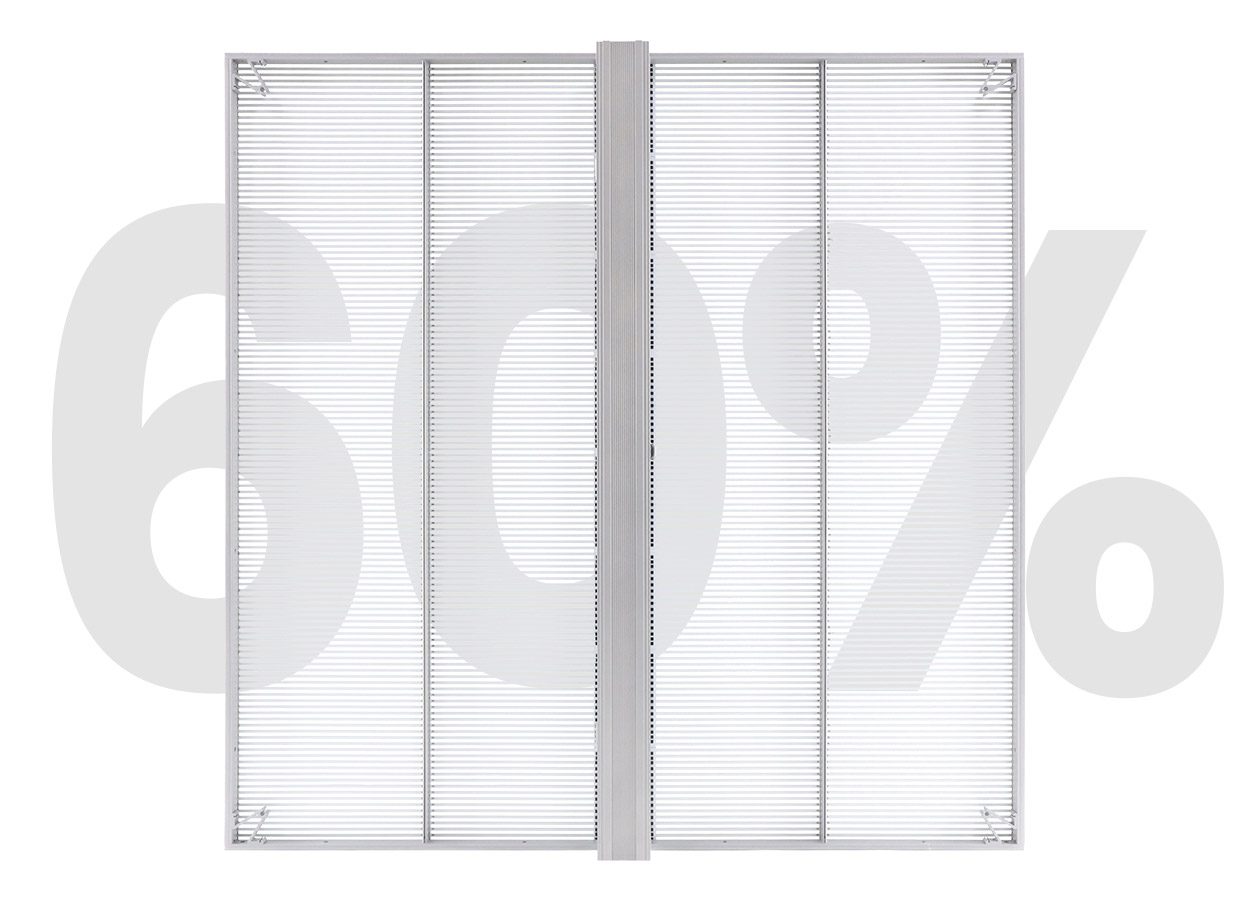
Evaluate the optical result with the intended content, glazing and shop lighting. A published transparency percentage does not describe the entire installed view. Frames, wiring and illuminated content remain relevant. The EA1000TiF2 reference image illustrates an open-strip cabinet; use a physical sample to judge the result through your own window before accepting a substitution.
Record the sample configuration and settings alongside the offer. If the accepted sample differs from the quoted screen, ask the supplier to reconcile them in writing. The transparent LED screen price should correspond to the approved configuration. A demonstration of an unspecified product cannot confirm the readability of the proposed one.
4. Build a transparent LED screen price worksheet
Copy each offer into a common list of deliverables. Use four simple entries for every line: included, separately priced, excluded or unresolved. An empty cell means unresolved, not free. Keep the supplier’s original wording available so your comparison remains traceable to the quotation rather than an interpretation made during a sales call.
Separate equipment supply from work at the destination. A factory shipment and an installed system can both be valid offers, but their totals represent different responsibilities. Ask who supplies the support, who installs it and who approves the fixing arrangement. Where you appoint a local installer, obtain that installer’s quotation against the same drawing.
| Cost group | Define the included work | Record separately |
|---|---|---|
| Display equipment | Approved active cabinets or film sections and included electronics | Spare stock and optional upgrades |
| Support and site work | Frame, fixing design, finishes and installation responsibility | Unresolved building work and landlord conditions |
| Power and data | Distribution scope, cable routes and equipment locations | Work supplied by the store’s electrical contractor |
| Playback | Player, processor, mapping, initial setup and staff workflow | Recurring licenses and future content production |
| Delivery | Packing, transport scope and named delivery point | Unpriced destination handling and applicable charges |
| Commissioning | Sample-content tests, settings, documentation and training | Repeat visits caused by unfinished site work |
| Aftercare | Warranty responsibilities and agreed support scope | Access equipment, local labor and removal where excluded |
Normalize currency and quotation dates before you compare totals. Use one stated conversion date for your internal worksheet and keep the original currency amounts beside it. Confirm quotation validity directly with the supplier. Avoid treating an expired price as a saving, especially if the configuration or delivery schedule has changed.
A transparent LED screen price comparison should also identify allowances. An allowance for installation is not the same as a firm installation price after survey. Ask what assumptions support it and what would cause a revision. Until the responsible contractor confirms the missing scope, label your combined figure a planning total rather than a fixed project cost.
Do not assign an invented number to an exclusion just to complete the table. Request a revised quotation or a separate local estimate. If a deadline arrives first, show the known subtotal and list the unresolved costs beside it. A visibly incomplete total is more useful than a precise-looking total built from unsupported assumptions.
Make the delivery boundary specific enough for your receiving team to act on it. Arrival at a port, delivery to a loading bay and placement inside a store are different tasks. Record who unloads the shipment, checks the packing list and moves equipment through the building. A restricted delivery window or a narrow service entrance may require a different handling plan. Ask the responsible supplier or local contractor to price that plan before treating delivery as settled.
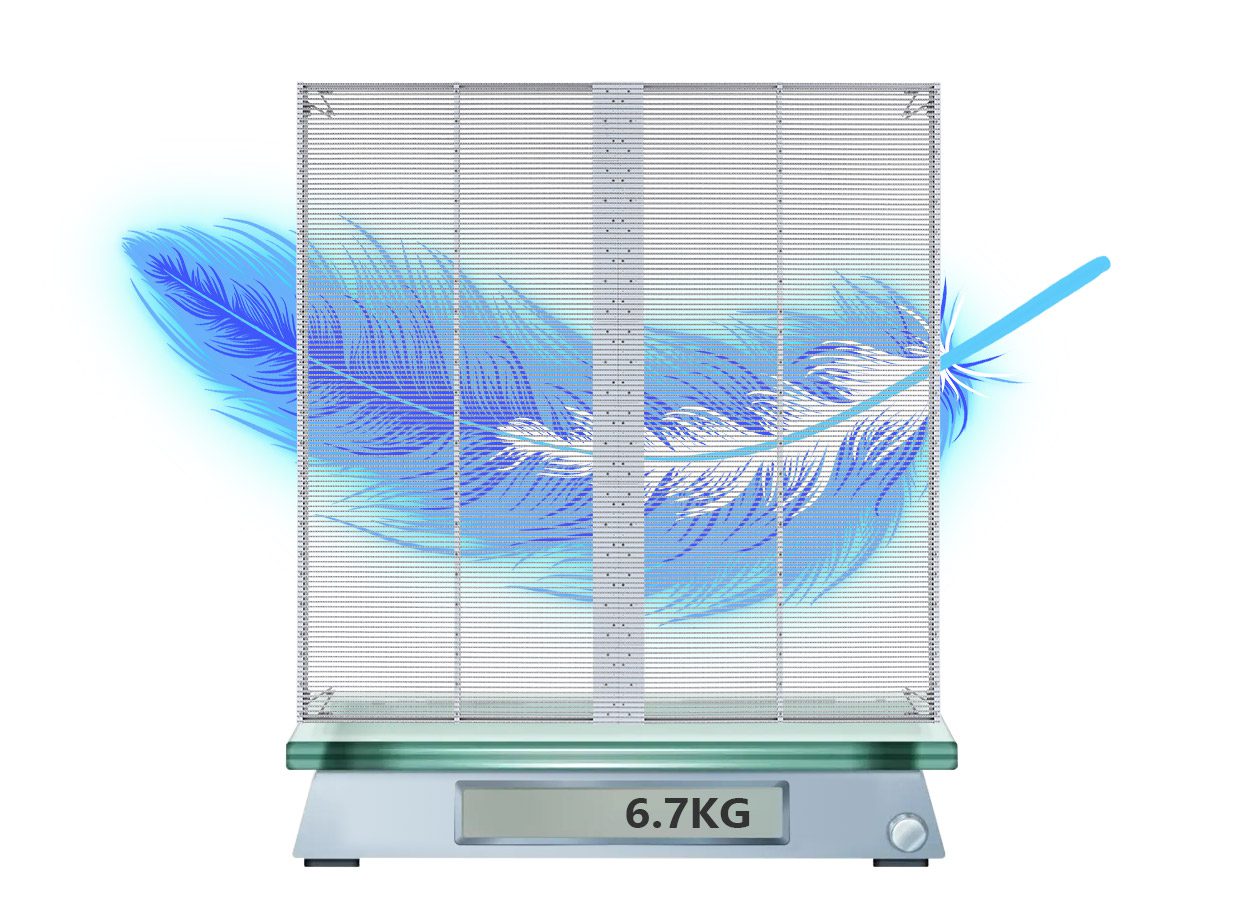
Request packed dimensions and shipment weight separately from cabinet weight. Packing, spare parts and supporting equipment belong in the transport schedule; the installed support arrangement requires its own assessment. Do not calculate either from a promotional weight graphic alone. If the store is inside a shopping center, send the receiving restrictions to every bidder so that all offers include the same delivery conditions.
5. Include content, access and ongoing service
Ask the supplier to demonstrate the everyday content task you are buying. A store employee may need to change a promotion, schedule an evening playlist or recover playback after a power interruption. Record which equipment, software and training the quotation includes for those tasks. Do not assume that the presence of a controller includes a complete content-management service.
For several windows, specify whether each window plays independently or shares a synchronized canvas. Request an artwork template showing gaps, mullions and active pixels. Ask who prepares the initial files and who corrects a file that does not fit. These responsibilities affect the transparent LED screen price even when the visible area remains unchanged.
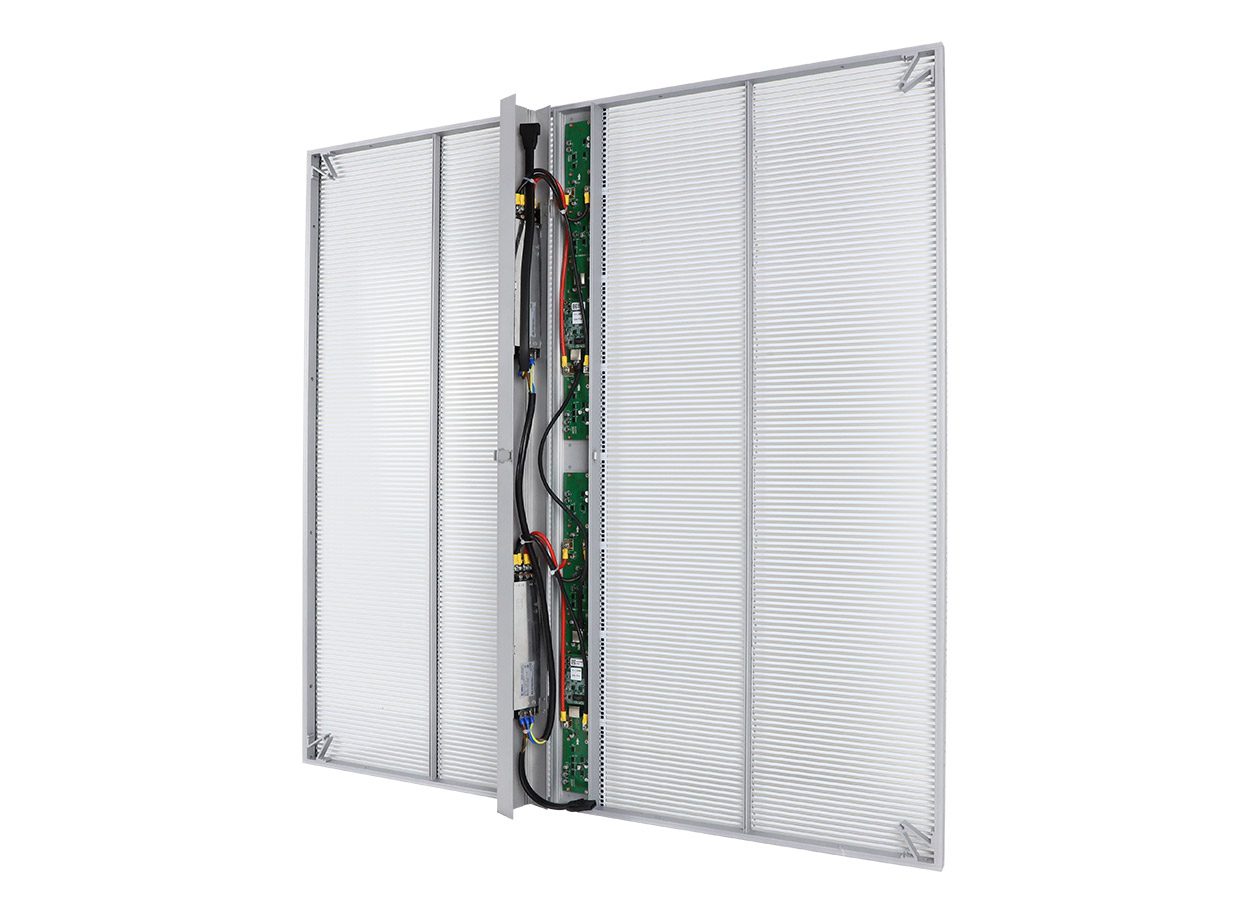
Discuss access before approving decorative finishes. The EA1000TiF2 product material shows a rear electronics compartment. Its access route must remain practical after the store places shelving, display stands and trim around the screen. Have the installation team explain how they would reach and replace the least accessible component.
Separate warranty coverage from the cost of reaching the screen. Ask who handles diagnosis, parts shipment, local labor and any access equipment. Confirm the process for reporting a fault and which configuration records the service team needs. These questions clarify responsibility; they do not establish a warranty term that has not been offered in writing.
For operating budgets, request power information under stated conditions. The maximum electrical load supports supply planning, while energy estimates need operating hours and representative average consumption. Brightness, content and schedules affect that average. Qualified personnel should confirm electrical design; a transparent LED screen price article cannot specify your circuit protection or wiring.
The installation cost planning guide covers the wider site-work discussion. Keep this quotation worksheet focused on which party has included each item. If a supplier offers a service contract, compare its actual visit scope and response process with your store’s operating needs rather than judging it only by its annual fee.
6. Resolve exceptions before choosing the lower total
Review technical exceptions before ranking commercial totals. A proposal that cannot fit the approved opening or provide the required maintenance access needs revision. Price negotiation does not resolve those differences. Document the revised configuration, then update the transparent LED screen price comparison using that version.
Send a single clarification list to each bidder. Reference the quotation number and ask for answers against specific lines: confirm the active rectangle, identify missing control equipment, state who provides local installation and confirm the accepted content test. Keep verbal explanations as provisional until the revised proposal incorporates them.
Agree a proportionate acceptance checklist before ordering. It can include the approved dimensions, image mapping, sample-content readability, day and evening settings, scheduled playback and a demonstration of the service procedure. Assign an owner to each check. This lets the buyer distinguish an equipment delivery from an installation ready for store staff to operate.
Keep changes after approval in a separate register. Record who requested the change, which drawing or deliverable it affects, its quoted cost and its schedule consequence. For example, moving the player from a nearby service cabinet to a remote office changes the cable route and possibly the control arrangement. Ask the supplier to assess that actual revision; do not assume the original installation allowance covers every later decision.
Use one owner for commercial clarification and another named person for technical acceptance if the project needs both. The purchasing contact can confirm totals and exclusions, while the installer checks physical access and the store team checks everyday operation. Resolve disagreement before order placement. A technically approved proposal with an unresolved installation responsibility still has an incomplete commercial scope.
When two offers remain different, write down the tradeoff instead of forcing them into an artificial ranking. One may include local installation; another may suit a buyer who already has a qualified installation team. One may include initial content preparation that your marketing team does not need. Remove an item from the comparison only after confirming who will perform the work and whether removing it changes the quoted package.
Finally, keep evidence of why the selected configuration meets the brief. Save the agreed sample result, the annotated drawing and the supplier’s response to each exception. If a replacement component or revised layout is proposed later, those records provide a practical reference for assessing it. The worksheet should help the store accept and operate the delivered system, as well as choose a supplier.
Use the transparent display range to discuss product alternatives, but keep the accepted configuration explicit in the order documents. A transparent LED screen price remains meaningful only while its scope stays attached. Store the drawing, quotation revision, exclusions and acceptance notes together so later changes can be evaluated against the same baseline.
Frequently asked questions
Can I compare a cabinet price with a price per square meter?
Yes. Convert each transparent LED screen price to the same approved cabinet schedule and active area before comparing totals. Confirm that electronics and accessories are included on the same basis. Keep spare units outside the installed-area calculation. If the layouts differ, compare them as alternatives until both bidders price an equivalent scope.
Should a sample charge be included in the final comparison?
Record it separately and ask whether the supplier credits it against an order. Include any nonrefundable sample or test expense in your project budget. Do not assume a credit applies to shipping, installation or a sample configuration that differs from the final screen.
Does a higher transparency percentage justify a higher price?
Only if the complete proposed system improves the result you need under the actual viewing conditions. Compare readability, the view into the shop, support and service access together. A headline percentage alone cannot establish the value of a transparent LED screen price premium.
How should I compare quotations with different delivery dates?
Record the promised equipment readiness and destination delivery separately, then check dependencies such as drawing approval and site completion. Ask for a revised schedule against your required opening date. Do not assume that a shorter manufacturing estimate guarantees earlier installed operation.
Can I postpone the spare-parts decision until after installation?
You can request it as an option, but ask the supplier to confirm future compatibility and availability before deciding. Keep the relevant part references and configuration backups. Later replacement planning depends on the supplied batch and electronics, so an unspecified promise to provide spares is insufficient.
Request a revised proposal for your window
Prepare the dated window drawing, daytime and evening photographs, active image rectangle, content sample, destination and intended operating schedule. Add the unresolved lines from your worksheet. Then request an itemized proposal from EagerLED that identifies equipment, installation responsibilities, playback and service scope. Compare the revised transparent LED screen price against that common brief before approving an order.