

November 5, 2026|
November 5, 2026|
November 5, 2026|
LED display sizes are the active width and height of a screen, usually specified in meters or millimeters. Choose a cabinet grid that fits the venue, then use its pixel matrix to calculate resolution. A larger wall is not automatically sharper, and a 16:9 screen is not automatically Full HD or 4K.
This guide compares LED display sizes, explains module and cabinet dimensions, and provides worked calculations for screen area, pixels and aspect ratio. Start with your available space, nearest and farthest viewers, and smallest essential text. The LED pixel pitch calculator can help compare options once the exact cabinet specifications are confirmed.
Table of Contents
1. What Is the LED Display Size?
LED display sizes describe physical dimensions, while resolution describes the number of addressable pixels. For a modular direct-view LED wall, width and height are generally more useful than diagonal inches because they determine the cabinet layout, mounting area and content shape. This guide concerns modular LED walls rather than televisions with LED backlights.
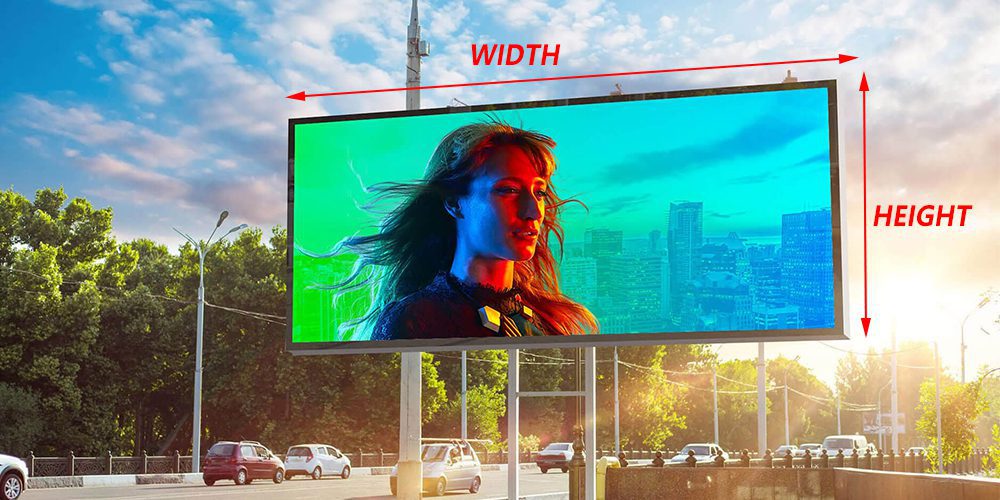
Specify the active image area separately from the outer frame, mounting depth and service clearance. For example, a 4 × 2.5 m active screen occupies 10 m², but its complete installation needs additional space. Two LED display sizes can be physically identical yet carry very different pixel counts. Always request both dimensions and native resolution on the quotation and installation drawing.
2. Common LED Display Sizes and Application Scenarios
There are no universal small, medium or large categories for LED display sizes. Use these applications to identify the design priority, then calculate a buildable layout. The right choice depends on the viewing task: reading spreadsheet cells, following a speaker and recognizing an advertising image impose different requirements.
01. Small LED Display Sizes
Retail signs, meeting rooms and exhibition booths often need a compact active area. Check close-range pixel visibility and the usable width after furniture, doors and other equipment are included.
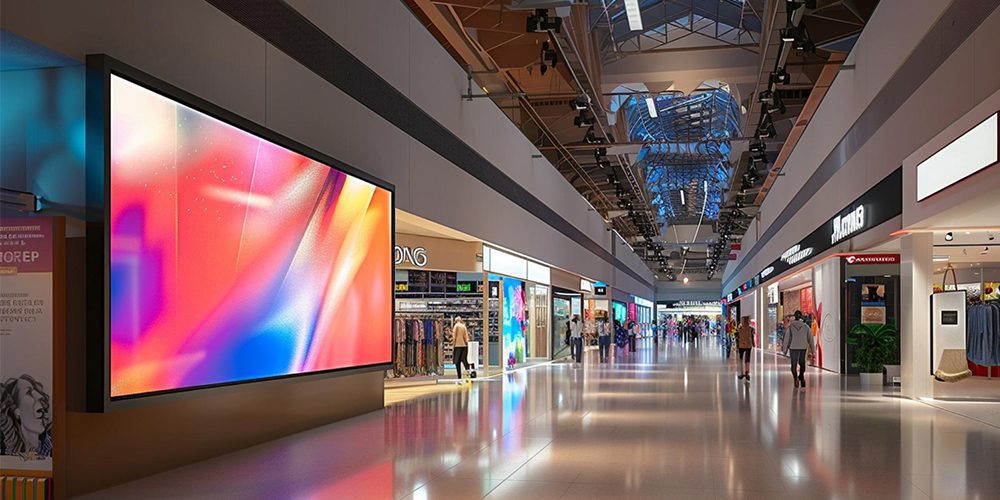
For compact LED display sizes, fine pitch can retain detail without enlarging the installation. Compare the smallest text at the real viewing distance, rather than selecting a pitch from room size alone. Confirm front-service access if the display sits close to a wall. The indoor LED screen guide explains additional selection considerations.
02. Medium LED Screen Sizes
Auditoriums, churches, shopping-center atriums and event stages often use a central wall. Establish the last row of viewers and any side seating before deciding its height.

Medium LED display sizes must balance readable content with sightlines. A wide stage backdrop may suit video but leave presentation text too small if the slides occupy only part of the canvas. Agree whether live camera, slides and branding will appear simultaneously. Reserve enough pixels and physical area for each region, and check that standing audiences will not obscure the lower edge.
03. Large LED Displays
Outdoor advertising, stadiums and concert stages may need substantial display area. Large LED display sizes still require a defined viewing task and a verified cabinet arrangement.
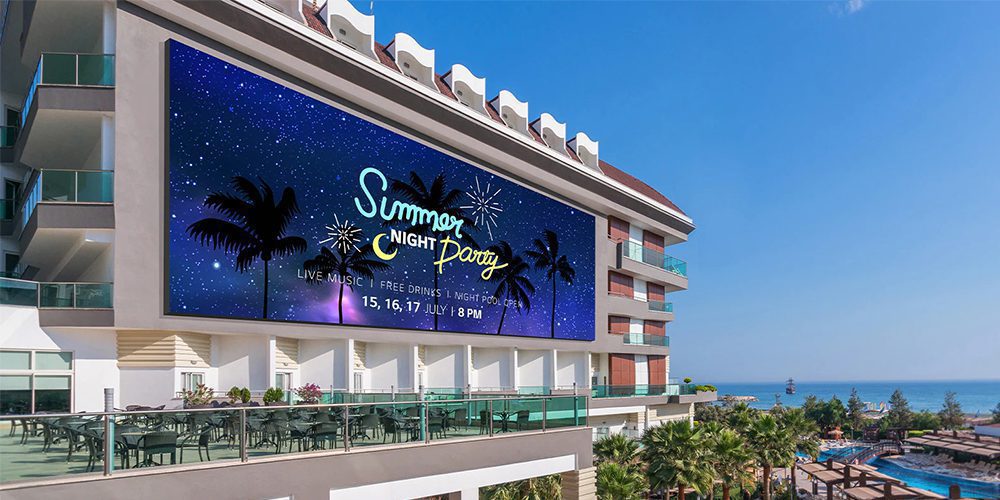
Screen area does not determine weather resistance, brightness or safe mounting. Specify the operating environment and inspect the product’s protection rating and service arrangement. For outdoor installations, the support design must address site loads and access. A large close-viewed indoor wall may require finer pitch than a distant outdoor billboard; there is no mandatory pitch based solely on size.
3. Standard LED Display Size
Modular products offer repeatable component dimensions, not one universal finished screen size. LED display sizes grow in increments set by the selected module or cabinet. Avoid treating a list of popular formats as an interchangeability standard: products with matching external dimensions may use different electronics, mounting systems and pixel matrices.
01. LED Module Size
A module contains the LED pixels and associated driving electronics. Formats such as 320 × 160 mm and 250 × 250 mm appear in different product families. For each model, check the active dimensions, horizontal and vertical pixel counts, and the number of modules fitted inside a cabinet.
A replacement module must also match voltage, connectors, scan configuration, driver IC, mounting points and receiving-card settings. Calibration and color matching matter when modules sit beside existing panels. Equal LED display sizes do not establish electrical compatibility. Obtain the supplier’s written compatibility confirmation before ordering spares.
02. LED Cabinet Size
Cabinets combine modules with a mechanical frame and, depending on the design, power and receiving electronics. Their orientation and permitted assembly methods determine achievable LED display sizes. Use the exact model drawing before planning a mixed-height, curved or flown installation.
| Example cabinet, W × H | Area per cabinet | Grid example, across × high | Resulting active dimensions* |
|---|---|---|---|
| 500 × 500 mm | 0.25 m² | 8 × 5 | 4 × 2.5 m |
| 500 × 1000 mm | 0.50 m² | 8 × 3 | 4 × 3 m |
| 640 × 480 mm | 0.3072 m² | 6 × 4 | 3.84 × 1.92 m |
| 960 × 960 mm | 0.9216 m² | 5 × 3 | 4.8 × 2.88 m |
*Arithmetic examples assume the specified cabinet dimensions equal the active tiling dimensions, without gaps. They do not prescribe a pixel pitch or confirm model compatibility. LED display sizes should be signed off against the actual cabinet drawing.
4. Factors Affecting the Size of LED Screens
Before comparing LED display sizes, prepare a site brief containing the available width and height, viewing distances, content samples, service access and budget. A dimension that fits the architectural drawing may still fail the audience’s reading requirements.
01. Actual Space at the Installation Site
Measure the usable opening, not just the wall. Allow for framing, ventilation, cable routing and the manufacturer’s service clearances. Check delivery routes and cabinet access. If the opening is 4.2 m wide and cabinets are 500 mm wide, eight fit within 4 m; nine need 4.5 m before any extra clearance. Never round up beyond the available space.
02. Viewing Distance and Readability
LED display sizes control the physical size of the image; pitch controls available pixel detail. Test the smallest essential text from the farthest viewing position and pixel visibility from the nearest one. Assess off-axis viewers as well.
Planar’s viewing-distance guide distinguishes visual-acuity distance from subjective comfortable viewing distance. Its guidance supports using pitch as one input, rather than treating a single distance multiplier as a guarantee that every viewer can read every type of content.
03. LED Dot Pitch (Pixel Pitch)
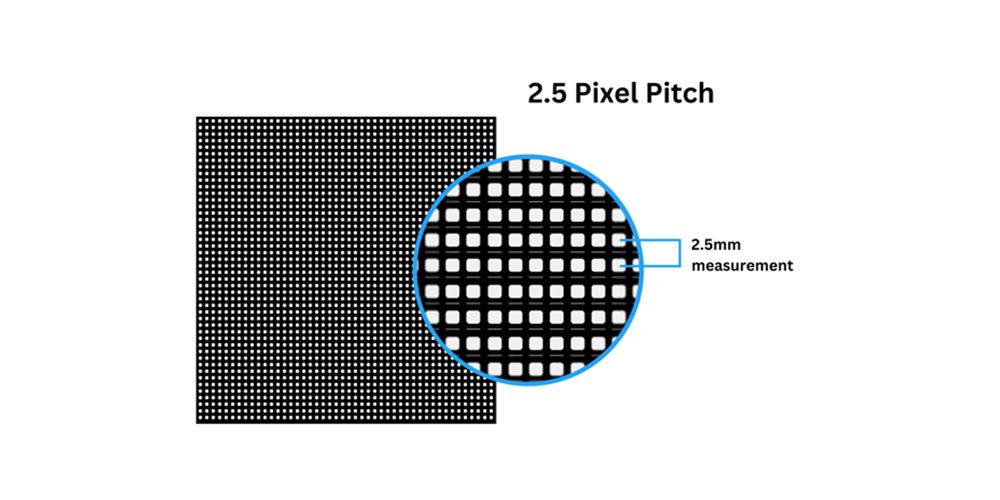
Pixel pitch is the center-to-center distance between neighboring pixels, expressed in millimeters. At a fixed physical area, reducing pitch increases the number of pixels. At a fixed resolution, smaller pitch reduces the required screen dimensions. When comparing LED display sizes, obtain the exact cabinet pixel matrix because labels such as P3.91 may be rounded.
04. Content Display Requirements
A 4K input signal does not make the installed screen native 4K. Confirm the output canvas, scaling and actual LED pixel count. Detailed diagrams and small text may demand more resolution than simple video imagery. Supply representative content before purchase and decide whether mismatched aspect ratios will use borders, cropping or a redesigned layout.
05. Fixed or Rental Installation
Fixed installations prioritize long-term access and integration. Rental projects also need transport, fast assembly, rigging compatibility and spare panels. Compare LED display sizes using cabinets that the rental supplier actually stocks. Keep quantities in whole cabinets and confirm approved stacking, hanging and curving arrangements instead of assuming every cabinet supports every installation method.
06. Project Budget
Compare complete installed systems: cabinets, processing, mounting, power distribution, cabling, transport, labor, commissioning and spares. For unchanged pitch and model, doubling both width and height quadruples area and cabinet quantity. Ask for maximum and typical power figures with operating assumptions. LED display sizes alone cannot establish price or electricity use; brightness settings and product efficiency also matter.
5. How to Calculate LED Display Size?
Calculate LED display sizes in this order: whole-cabinet layout, active dimensions, native resolution, then electrical and mechanical requirements. The table below is a worked example, not a universal specification for 500 mm cabinets.
| Quantity | Calculation | Result |
|---|---|---|
| Assumed cabinet | 500 × 500 mm; 200 × 200 pixels | Exactly P2.5 |
| Cabinet grid | 8 across × 5 high | 40 cabinets |
| Active dimensions | 8 × 500 mm; 5 × 500 mm | 4000 × 2500 mm |
| Area | 4 m × 2.5 m | 10 m² |
| Native resolution | 8 × 200; 5 × 200 | 1600 × 1000 pixels |
| Total pixels | 1600 × 1000 | 1,600,000 |
| Aspect ratio | 1600:1000, reduced | 8:5; not 16:9 |
Check controller total loading, per-port limits, maximum width and height, and the proposed cable map. Confirm these at the intended frame rate and bit depth. A controller’s advertised input resolution is not a substitute for its output loading specification.
01. Measure by Width and Height
For a rectangle, area in m² = width in m × height in m. A measured opening of 3000 × 2000 mm is 3 × 2 m, or 6 m². This is a target area until a compatible cabinet grid is selected. Record the active dimensions separately from the overall installation envelope when comparing LED display sizes.
02. Calculate from Module Dimensions
Width = module width × modules across; height = module height × modules high. Eight 320 mm modules across and six 160 mm modules high produce 2560 × 960 mm, or 2.4576 m². This describes a module layout; the frame and cabinet arrangement still need confirmation. Calculate resolution separately from the module’s documented pixel matrix.
03. Calculate from Cabinet Size and Quantity
Four 500 × 1000 mm cabinets across and three high produce a 2000 × 3000 mm portrait wall, using 12 cabinets. Orientation matters: swapping width and height changes the layout. For LED display sizes constrained by an opening, round cabinet counts down to fit, then check clearance. For a minimum required image area, rounding up may work only if the venue allows it.
For events, use the rental LED wall checklist to coordinate the confirmed dimensions with delivery and installation requirements.
04. Calculate from Pixel Pitch and Pixel Count
Width in mm = horizontal pixels × exact pitch in mm; height in mm = vertical pixels × exact pitch in mm. At exactly P2.5, a 1024 × 512 pixel canvas requires 2560 × 1280 mm. This mathematical result does not prove that a particular cabinet range can build it. Verify that both pixel counts divide into whole cabinet matrices.
05. Curved and Irregular Screens
For curved LED display sizes, specify arc length, radius, height and cabinet arrangement. The width across the front is a chord and differs from the surface arc length. For a circle, distinguish the bounding square from the illuminated area: a 4 m diameter circle has approximately 12.57 m² of circular area inside a 16 m² square. Masking and module layout determine actual active pixels.
6. Different Units of LED Display Sizes
Convert each physical dimension separately and keep the original metric cabinet specifications in the project record. LED display sizes in feet or inches are often rounded for discussion; those rounded numbers should not control fabrication. Pixels are a separate measurement of resolution.
01. LED Display Sizes in Millimeters
Millimeters suit cabinet drawings, mounting positions and module measurements. Keep sufficient precision for dimensions such as 337.5 mm. The following chart converts one example screen consistently across common units.
| Measurement | Width × height or value | Conversion rule |
|---|---|---|
| Millimeters | 4000 × 2500 mm | Meters × 1000 |
| Centimeters | 400 × 250 cm | Millimeters ÷ 10 |
| Meters | 4 × 2.5 m | Millimeters ÷ 1000 |
| Feet | 13.12 × 8.20 ft, approximately | Meters ÷ 0.3048 |
| Inches | 157.48 × 98.43 in, approximately | Millimeters ÷ 25.4 |
| Diagonal | 185.71 in, approximately | √(width² + height²), then convert |
| Area | 10 m²; approximately 107.64 ft² | Width × height in matching units |
Use unrounded dimensions to calculate cabinet counts. Converting 500 mm to an approximate imperial number and multiplying it repeatedly can create a misleading accumulated error.
02. LED Display Sizes in Centimeters
Divide millimeters by 10. A 960 × 960 mm cabinet is 96 × 96 cm. Centimeters help explain scale in a room, but the result still describes width and height, not diagonal or pixel count.
A 500 × 1000 mm cabinet is 50 × 100 cm. A 640 × 480 mm cabinet is 64 × 48 cm. Keep the width-first convention consistent between supplier quotations and drawings.
Do not infer resolution from centimeters alone. The same physical cabinet format may be sold in several pitches, with different native pixel matrices.
03. LED Display Sizes in Meters
Divide millimeters by 1000. A 9600 × 5400 mm active area becomes 9.6 × 5.4 m. Meters are useful for venue plans and total area. Multiply these dimensions to obtain 51.84 m², then use the selected product’s specifications for power and weight estimates.
04. LED Display Sizes in Feet
One foot equals 0.3048 m. A 4 × 3 m wall is approximately 13.12 × 9.84 ft. A requested 12 ft wide × 9 ft high wall is 3.6576 × 2.7432 m, which may not match whole metric cabinets. Have the supplier state the nearest buildable dimensions and any difference from the request.
05. LED Display Sizes in Inches and Diagonal
One inch equals 25.4 mm. For diagonal size, use D = √(W² + H²) with matching units. A 1920 × 1080 mm active area is approximately 75.59 × 42.52 inches and 86.73 inches diagonally. An advertised diagonal does not reveal the width and height unless the aspect ratio is also known.
06. LED Screen Size in Pixels
Divide active millimeters by exact pitch, or multiply cabinet pixels by cabinet counts. A 3840 × 2160 mm wall at exactly P4 has 960 × 540 pixels. It is physically 3.84 × 2.16 m, but it is not native 4K. To avoid fractional results from rounded pitch labels, use the manufacturer’s cabinet pixel matrix.
7. LED Display Size Ratio
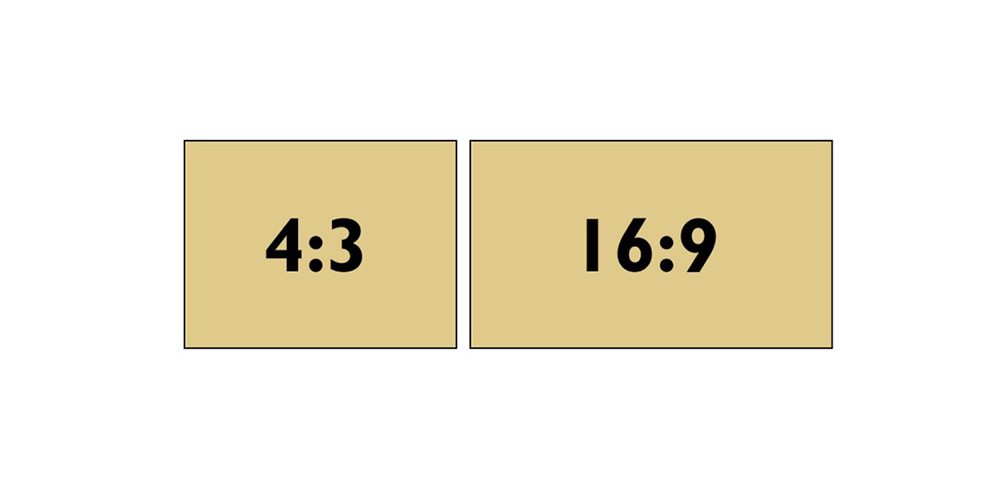
Aspect ratio is width divided by height. LED display sizes with matching aspect ratios can show the same content shape, but they may have very different resolutions. Select the ratio before finalizing the cabinet grid and provide the content designer with the final pixel map.
01. 16:9 LED Display Size Ratio
16:9 suits standard widescreen video and many presentation workflows. The chart shows mathematical active dimensions for two native resolutions at exact pitches. These are calculated targets, not confirmed product configurations.
| Exact pitch | 1920 × 1080 pixels | 3840 × 2160 pixels |
|---|---|---|
| 1.25 mm | 2.4 × 1.35 m | 4.8 × 2.7 m |
| 1.5 mm | 2.88 × 1.62 m | 5.76 × 3.24 m |
| 2.5 mm | 4.8 × 2.7 m | 9.6 × 5.4 m |
| 4 mm | 7.68 × 4.32 m | 15.36 × 8.64 m |
For square cabinets, a 16-across by 9-high grid produces 16:9. With 500 mm square cabinets, that is 8 × 4.5 m. A smaller exact 16:9 wall requires another suitable cabinet format or approved module arrangement. LED display sizes must satisfy both the physical layout and the pixel requirements.
02. 4:3 LED Display Size Ratio
Choose 4:3 when it suits existing content or a specific opening. At equal width it is taller than 16:9, so it does not inherently solve a low-ceiling restriction.
| Ratio | Required height | Area | Content implication |
|---|---|---|---|
| 16:9 | 2.25 m | 9 m² | Matches standard widescreen shape |
| 4:3 | 3 m | 12 m² | Matches traditional 4:3 layouts |
| 1:1 | 4 m | 16 m² | Needs square or redesigned content |
These dimensions are geometric targets. A 4 × 3 m wall can be built from eight by six 500 mm square cabinets, while 4 × 2.25 m cannot be built from whole 500 mm squares. Check component increments before approving a ratio.
03. Other LED Display Size Ratios
Custom LED display sizes suit panoramic stages, retail columns and multi-window dashboards. A custom shape also needs a custom content plan; stretching standard footage can distort people, logos and text.
| Shape | Possible use | Requirement to confirm |
|---|---|---|
| 21:9 or wider | Panoramic presentation or stage | Exact canvas ratio; cropping and side content |
| 32:9 | Multiple information windows | Pixel allocation and text size for each window |
| 1:1 | Square retail signage | Square artwork and safe margins |
| Portrait | Storefront or information column | Cabinet orientation and portrait content |
| Curved or irregular | Architectural display | Approved geometry, masks and pixel map |
For any ratio mismatch, choose letterboxing or pillarboxing to retain the complete image, cropping to fill the screen, or bespoke content. Agree this before production so the chosen LED display sizes support the message.
8. LED Display Sizes FAQ
These practical questions address ordering, installation and operation after you have shortlisted your LED display sizes.
01. How many LED panels do I need for a 3 m × 2 m screen?
With 500 × 500 mm cabinets, use six across and four high: 24 cabinets. With compatible 500 × 1000 mm cabinets installed in that orientation, use six across and two high: 12 cabinets. Both layouts cover 6 m², but they do not necessarily have the same resolution, weight or price. Ask the supplier to quote the exact cabinet model and pixel matrix.
02. How wide and tall is a 150-inch LED screen?
If 150 inches is the active diagonal and the aspect ratio is 16:9, the image is approximately 3.32 m wide and 1.87 m high. That is about 130.7 × 73.5 inches. Treat these as geometric dimensions: a modular product may offer a nearby buildable size. Check whether the advertised diagonal includes any frame or decorative surround.
03. Can I combine 500 × 500 mm and 500 × 1000 mm LED cabinets?
Only if the manufacturer approves those specific models for mixed assembly. Confirm matching pitch, alignment, locks, electrical connections, receiving-card configuration and calibration. A compatible mixed-height system can offer more layout options, but identical cabinet widths do not prove compatibility. Request an assembly drawing and cable map for the complete configuration.
04. How much electricity does a 10 m² LED screen use?
Multiply screen area by the product’s specified power per square meter. For an illustrative operating average of 200 W/m², a 10 m² screen draws 2 kW and uses 16 kWh over eight hours. Actual consumption depends on content, brightness and hardware. This operating example is not a circuit-sizing value; use the manufacturer’s maximum load and installation requirements for electrical planning.
05. How much does an LED video wall weigh?
Multiply cabinet quantity by the documented weight per cabinet, then add the frame, mounting hardware, cables and other supported equipment. For example, 24 cabinets at an assumed 8 kg each weigh 192 kg before those additions. LED display sizes alone cannot establish the load. Give the complete equipment schedule and mounting arrangement to the project’s structural professional.
06. Can I make my LED wall bigger after installation?
Possibly, if the product family remains available and the original design allows expansion. Reserve capacity in the support structure, power distribution and processing system, and retain the original configuration and calibration files. New panels can differ in brightness or color from older ones. Discuss future LED display sizes and matched spare inventory when purchasing, rather than assuming any later panel will blend in.
07. What resolution should I give a designer for LED wall content?
Send the final native pixel width and height, the processor’s input canvas, and the mapping of the active image within that canvas. Include safe margins, any cropped areas and separate screen regions. If the playback workflow accepts native-resolution files, design to that pixel map. If it requires a standard input format, provide the exact placement and scaling instructions instead of supplying only dimensions in meters.
08. Does a larger LED wall require a new video processor?
An expansion may exceed the existing processor’s output pixel capacity, port capacity or maximum output dimensions even when its input supports 4K. Ask the integrator to check the expanded pixel map at the required frame rate and bit depth, along with receiving-card compatibility and redundancy. Request a written loading plan before buying additional cabinets; physical screen area by itself cannot determine processor suitability.
9. Conclusion
Choose LED display sizes by matching the audience and content to a buildable cabinet grid. Confirm active dimensions, native resolution, aspect ratio, controller loading and service access together. Send your available space, viewing distances, content samples and installation requirements to the supplier for a dimensioned proposal and itemized quotation.
 Transparent LED Screen: Retail Window Selection and Installation