

November 5, 2026|
November 5, 2026|
November 5, 2026|
LED display grayscale is the ability to reproduce tonal steps between dark and bright output. Bit depth describes how many numerical levels a system can represent, but it does not prove how evenly a finished screen displays those levels. For a distributor comparing indoor screens, the useful question is whether subtle shadows and neutral grays remain distinct at the customer’s operating brightness.
A specification such as “16-bit grayscale” needs context. It may describe processing or driver precision rather than the incoming video signal. Two screens carrying that label can still differ in dark detail, color neutrality, and consistency across cabinets.
This explanation separates the numbers from the visible result, so you can ask for a meaningful demonstration before adding a screen to your product range. It does not assign a universal minimum bit depth: the signal chain, configuration, and viewing conditions all matter.
What LED Display Grayscale Actually Describes
A grayscale ramp progresses from black through gray to white. On an RGB LED screen, a neutral ramp also asks the red, green, and blue channels to work together without introducing an unwanted tint. Smooth progression and neutral color are related observations, but they are not identical.
Good LED display grayscale helps reveal small differences in a dark jacket, a shaded product surface, or a softly lit background. If adjacent tones collapse into one shade, the image loses detail. If a smooth transition becomes visible bands, the problem may originate in the content, signal conversion, processing, or display output.
LED display grayscale is also different from spatial resolution. A finer pixel pitch adds pixels within a given area; it does not automatically add tonal precision. Likewise, a high refresh rate addresses timing behavior and cannot, by itself, establish that near-black shades are accurate.
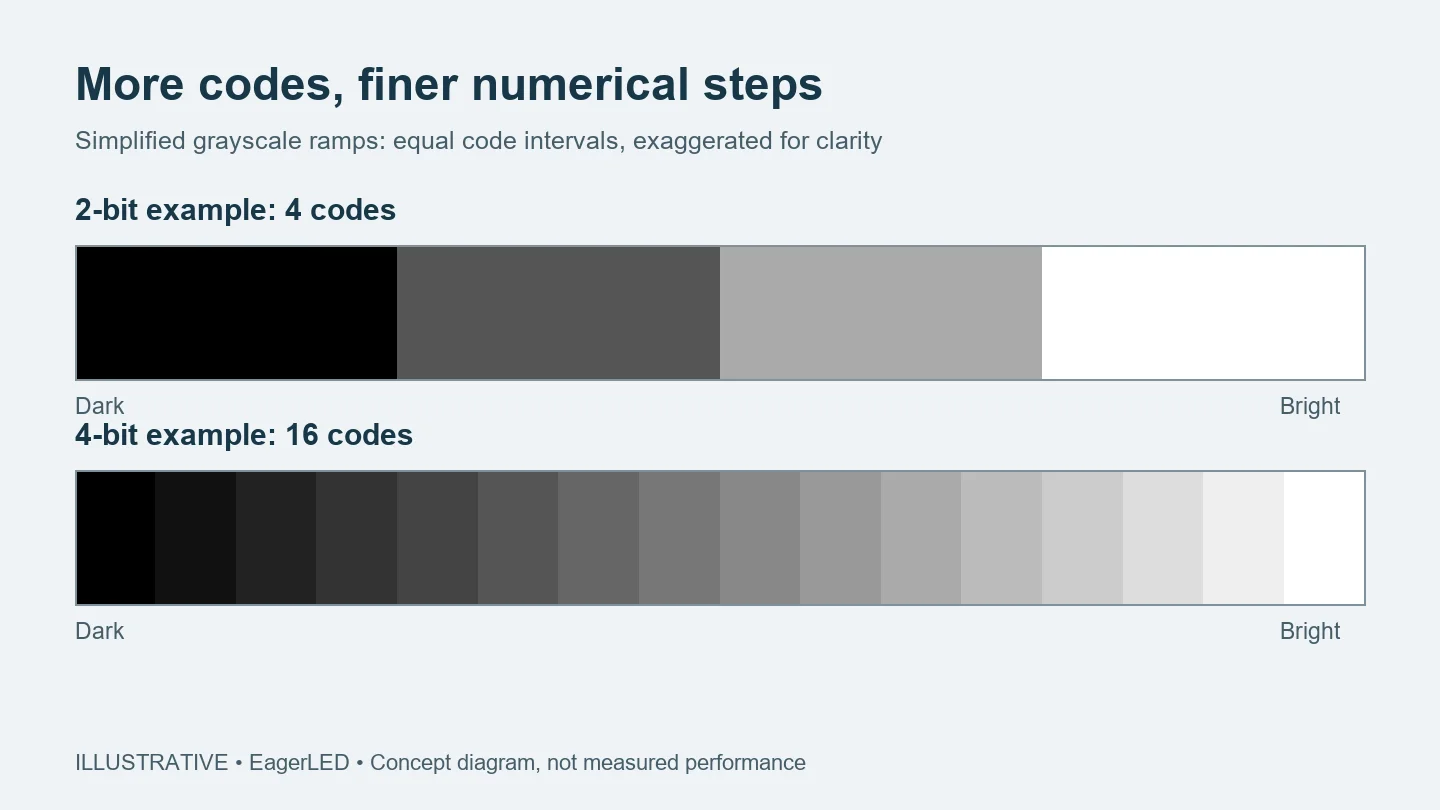
The simplified ramps show the counting principle, not a promise that every additional digital level will be visible. Ambient light, viewing distance, display settings, and the observer’s adaptation change what can be distinguished. A web image viewed on your own monitor cannot certify another screen’s performance.
Why Bit Depth Needs a Label
For one channel, an unsigned n-bit value has 2n possible codes. Eight bits provide 256 codes, ten bits provide 1,024, and sixteen bits provide 65,536. These are numerical counts, including the endpoints; they are not measurements of brightness accuracy or guaranteed distinguishable shades.
Also check whether a figure describes one channel or the combined RGB signal. Conventional 24-bit RGB uses eight bits for each of three channels. It does not mean 24-bit precision for each channel. Comparing those two descriptions without this distinction produces a misleading specification comparison.
For LED display grayscale, the next question is where that number applies. Source encoding, processor calculations, receiving-card functions, and LED driver operation are different parts of the chain. Extra internal precision can help retain calculation accuracy, but it cannot recover original scene information already lost in a compressed or clipped source.
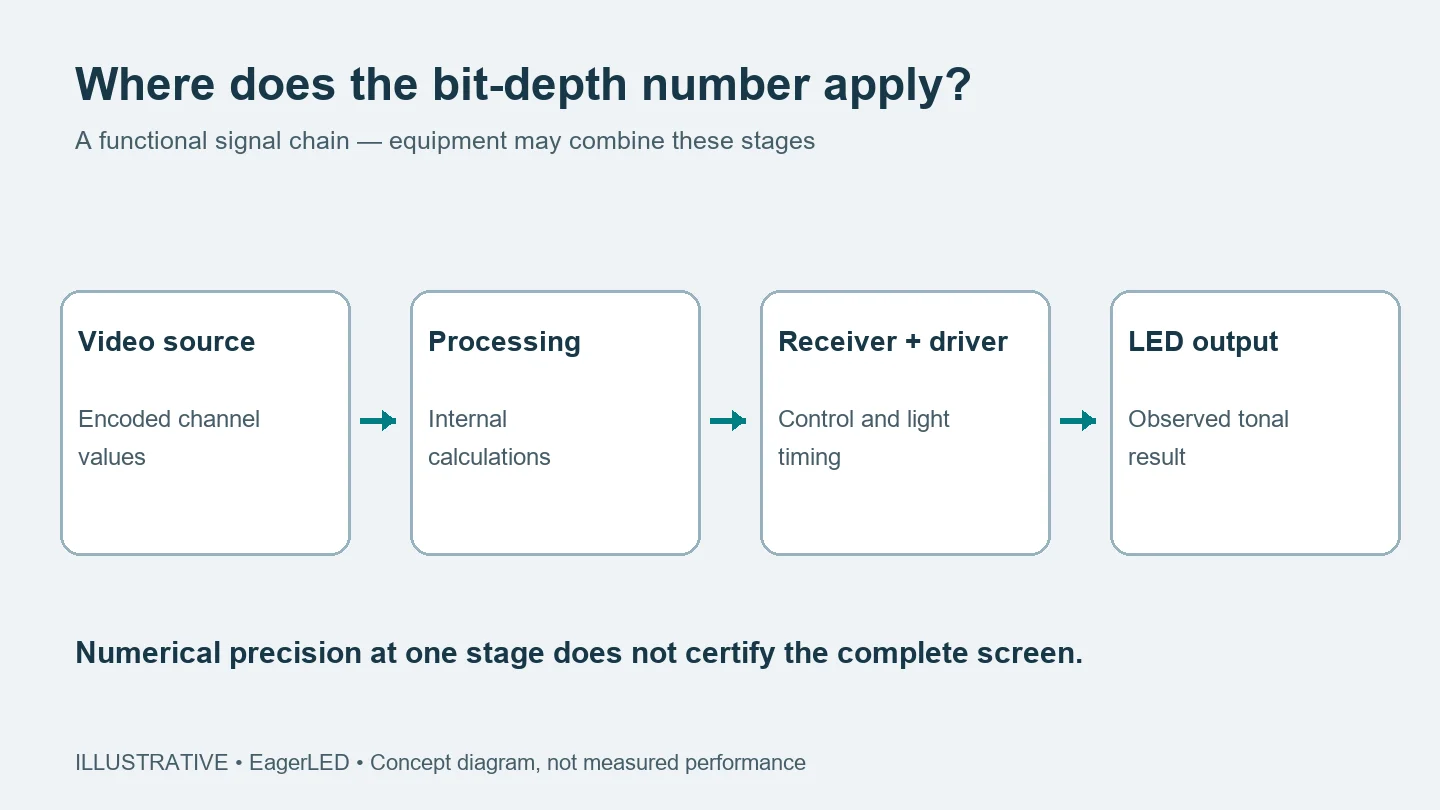
Ask the supplier to identify the stage behind the published figure and the configuration used to obtain it. Record the controller, receiving card, driver IC, firmware, scan configuration, refresh setting, and brightness setting. This turns an isolated headline into information that another technician can interpret.
The driver must translate commands into emitted light. Depending on the design, this involves current control and illumination timing. Actual low-gray behavior therefore depends on more than the size of an input number. NovaStar’s technical documentation discusses these mechanisms and notes that certain grayscale adjustments depend on the driver IC; features should be checked against the specific hardware rather than assumed across a product range.
Dark Content and Dimmed Screens Are Different Conditions
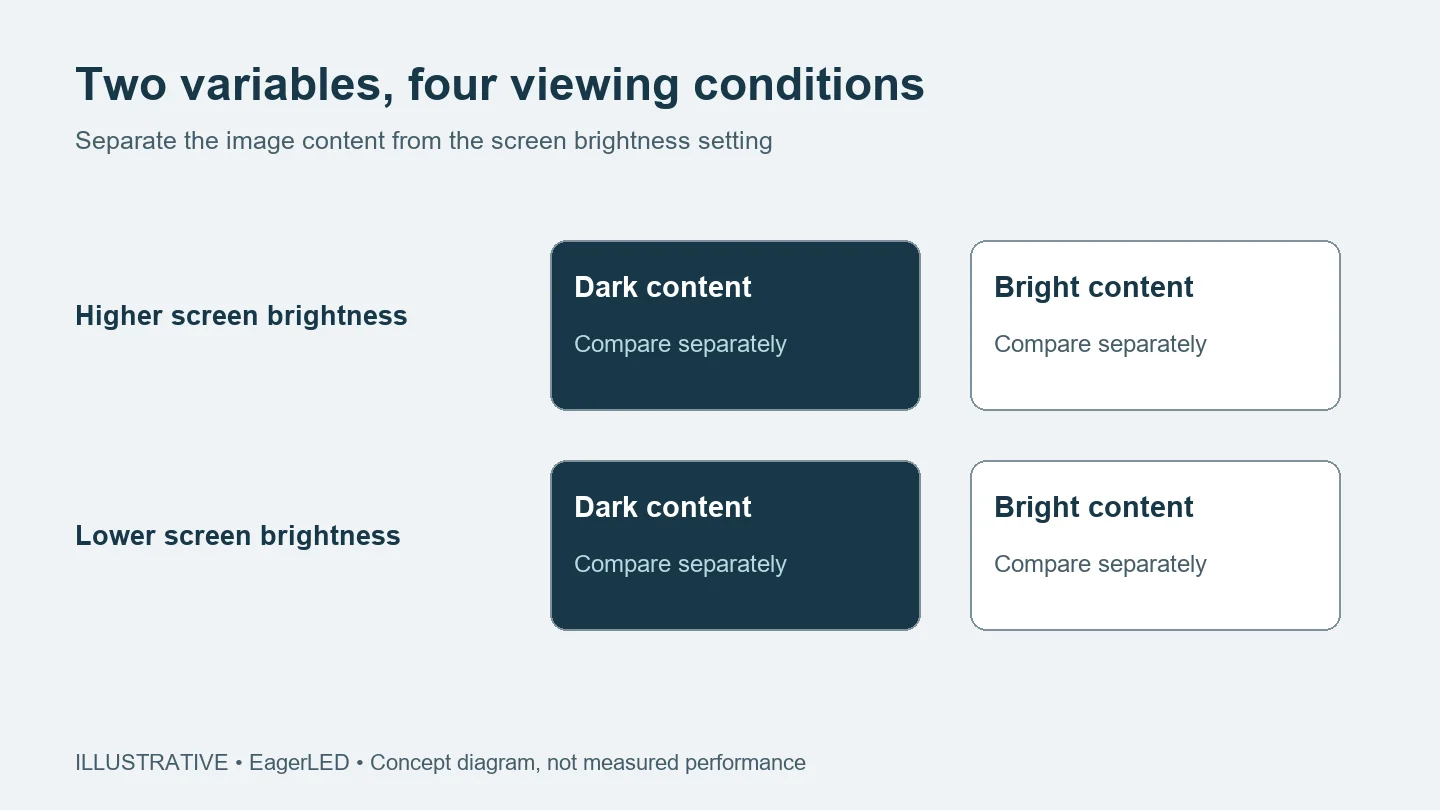
A dark picture on a screen set to high brightness is one condition. The same picture on a screen dimmed for a meeting room is another. Both can expose limitations, but they should not be treated as an identical test of LED display grayscale.
At lower operating brightness, the system still has to reproduce subtle changes close to black. Driver behavior, processing choices, and calibration can affect those changes. A demonstration at maximum brightness alone leaves an important question unanswered for an indoor installation that will usually run much dimmer.
Use the customer’s expected environment as the reference. Ask for the intended brightness setting and, where measurement is available, actual screen luminance. A slider percentage is not a universal unit: the same percentage on two systems need not produce the same light output.
Keep surrounding light comparable as well. Reflections and ambient illumination can conceal dark detail even when the electronic signal contains it. For that part of the picture, see our explanation of LED screen black level. Grayscale steps and perceived black level influence the same scene without describing the same property.
Reading a Grayscale Demonstration
A useful LED display grayscale demonstration starts with a known source and recorded conditions. Include a neutral ramp, dark gray patches, and representative customer content. Use the same files and comparable light output when comparing two proposed configurations. Otherwise, a brighter setup or more flattering video can obscure the difference you intended to inspect.
| Visible observation | Follow-up question | What it does not establish |
|---|---|---|
| Dark patches merge together | Are signal range and black-level settings matched throughout the chain? | It does not isolate a driver fault. |
| A neutral ramp develops a colored tint | Does the tint repeat with another known neutral source and across cabinets? | It does not prove that the source bit depth is too low. |
| Bands appear in a gradient | Are they already present in the file, conversion, or processor output? | It does not establish the screen’s usable precision by itself. |
| Cabinet boundaries appear in gray fields | Are calibration data and operating settings consistent? | It does not show whether every cabinet needs replacement. |
Treat these observations as diagnostic starting points. Change one variable at a time with the supplier, and retain the original file and configuration record. A screenshot of a specification sheet cannot explain a mismatch that appears only under a particular signal range or operating mode.
For a distributor, consistent LED display grayscale across the proposed shipment matters alongside the appearance of one sample. Ask whether the demonstration represents the quoted module, driver, and control configuration. Agree how substitutions or firmware changes will be communicated, because a different combination needs its own confirmation.
Our LED screen scan-rate explanation adds context when comparing module architectures. Use it to understand the configuration, then judge the complete screen under the agreed conditions. Neither scan rate nor a grayscale headline should carry the entire purchasing decision.
Frequently Asked Questions
Can a phone video prove grayscale quality?
No. Camera exposure, white balance, compression, and the phone display can change the apparent result. A video can document conditions or flag a visible concern, but it should accompany direct observation and configuration records rather than serve as a precise tonal measurement.
Does a higher bit-depth label guarantee HDR compatibility?
No. HDR also involves the supported signal format, transfer function, color handling, and the display system’s output capability. Ask for the supported HDR workflow separately. A grayscale figure alone does not confirm that an HDR source will be accepted and reproduced as intended.
Can calibration fix every low-gray problem?
No. Calibration can address measured brightness and color differences, but it cannot recreate missing source information or remove every hardware limitation. Confirm which adjustments the installed hardware supports and whether a proposed correction improves the relevant condition without creating a different visible issue.
Define the Viewing Conditions First
LED display grayscale is most useful as a question about the complete system: which tones remain distinct, neutral, and consistent under the conditions your customer will use? Keep the bit-depth figure, but attach it to a named stage and a reproducible configuration.
When discussing a proposed indoor screen with EagerLED, share the application, viewing distance, room lighting, intended brightness, and source format. Include a representative dark scene if it can be shared. Contact EagerLED to discuss the configuration and request a demonstration tied to those conditions, so your comparison of LED display grayscale supports a clear purchasing decision.
 LED Screen Burn-In Test: What Does It Actually Prove?