
November 5, 2026|
November 5, 2026|
November 5, 2026|
When it comes to professional LED display control, the NovaStar VX2000 Pro and NovaStar VX2000 are two standout options in NovaStar’s lineup. Both devices deliver reliable performance for high-end rental, stage control systems, and fine-pitch LED screens, but they cater to slightly different needs.
In this guide, we’ll break down their features, advantages, and differences to help you make an informed decision.
Table of Content
1.What Is a Novastar VX2000 Pro?
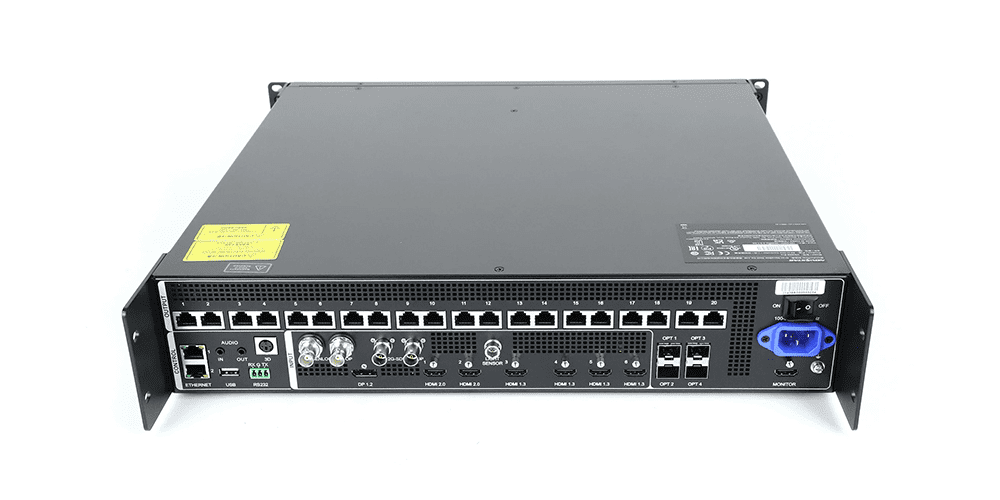
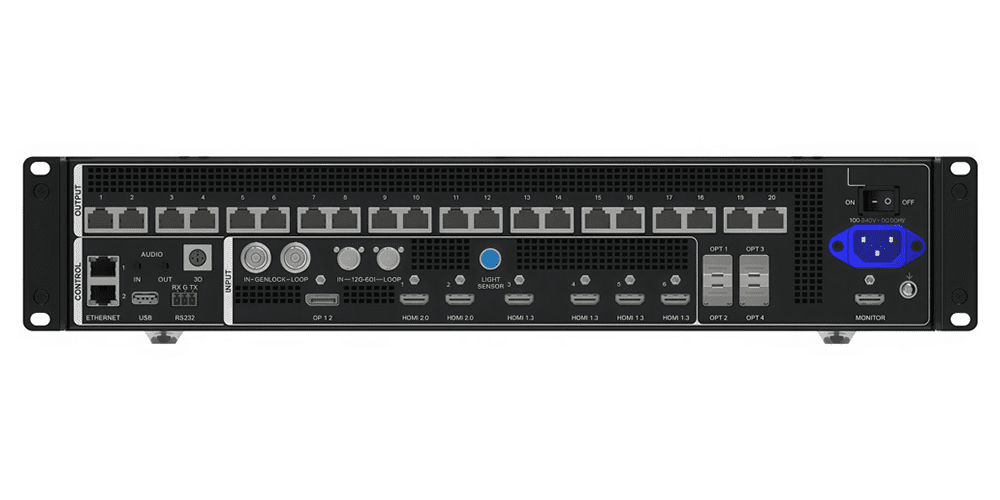
The NovaStar VX2000 Pro is an all-in-one controller that combines video processing and video control functionalities into a single device. Designed for medium-to-high-end applications, it supports up to 13 million pixels, with a maximum resolution of 16,384 × 8,192 pixels. Its robust feature set includes:
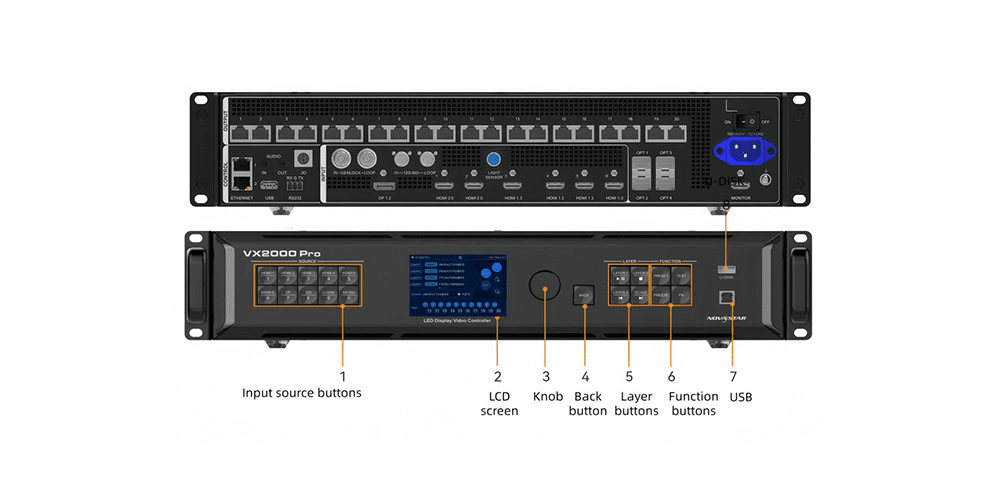
- 20 Ethernet ports for flexible screen configuration.
- Support for HDR output (HDR10 and HLG) when paired with compatible receiving cards.
- 12 layers for multi-source display, allowing users to create complex layouts with ease.
- Advanced functions like pixel-level brightness and chroma calibration, low latency, and OSD (On-Screen Display) customization.
- Compatibility with Mac systems and third-party 3D emitters for immersive visual experiences.
- A remote control option for convenient operation, including screen power-on/off and brightness adjustments.
The VX2000 Pro is ideal for scenarios requiring ultra-wide or ultra-high LED screens, such as large-scale stage performances, broadcast studios, and commercial displays.
2.What Is a Novastar VX2000?
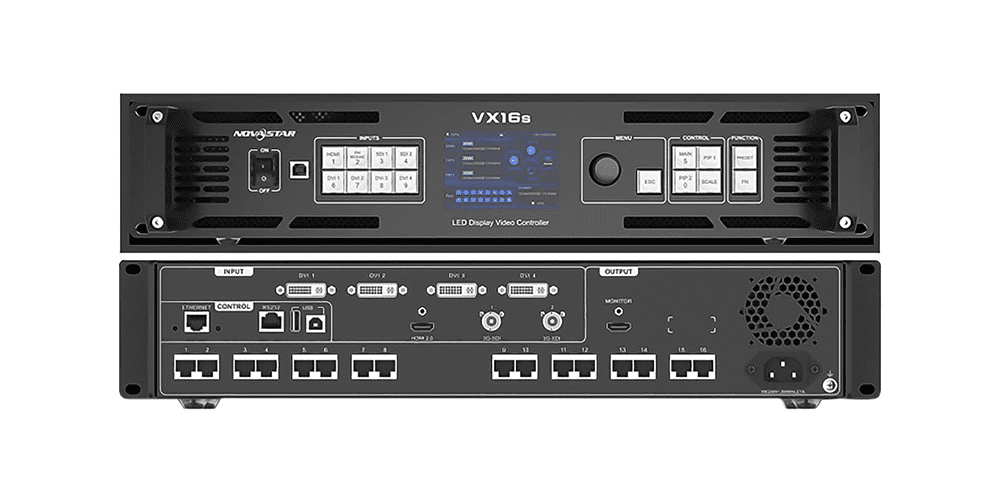
The NovaStar VX2000 is also an all-in-one controller, but it targets slightly less demanding applications compared to the Pro version. It offers:
- A maximum pixel capacity of 6.5 million pixels, making it suitable for smaller or mid-sized LED screens.
- 10 Ethernet ports for screen output, which is half the number provided by the VX2000 Pro.
- Support for multi-layer display (up to 6 layers), enabling basic multi-window setups.
- Basic video signal reception and processing capabilities, with fewer advanced features like HDR or dual receiving card backup.
While the VX2000 lacks some of the premium functionalities of the Pro model, it remains a reliable choice for simpler projects, such as small events, retail spaces, or classrooms.
3.Advantages of the Novastar VX2000 Pro
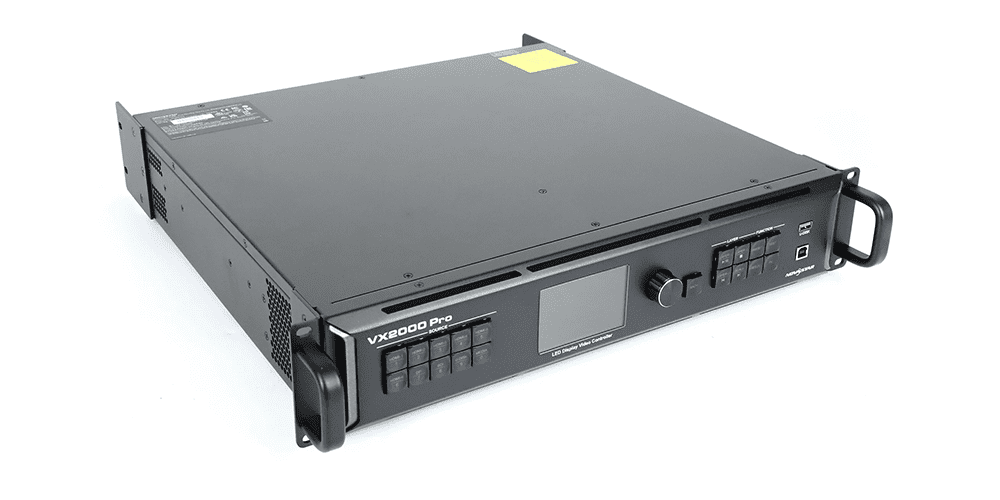
The NovaStar VX2000 Pro stands out with its cutting-edge features tailored for professional environments:
- High Pixel Capacity: With support for up to 13 million pixels, it can handle massive LED screens without compromising image quality.
- Advanced Video Processing:Powered by SuperView III image quality technologies, it delivers stepless output scaling, one-click full-screen display, and free input cropping.
- Dual Receiving Card Backup:Ensures seamless operation even if one receiving card fails, enhancing reliability in critical applications.
- Low Latency Mode:Reduces delay to 0 frames in ByPass mode, ensuring real-time responsiveness for live broadcasts and dynamic presentations.
- Multi-Language Support:Offers an expanded range of LCD menu languages, including Hindi, Spanish, French, Portuguese, Russian, Japanese, Korean, German, Vietnamese, Turkish, Thai, and Indonesian.
- Remote Control Functionality: Allows users to adjust screen settings, switch presets, and manage playback effortlessly.
These features make the NovaStar VX2000 Pro a top choice for high-stakes environments where precision and reliability are paramount.
4.Advantages of the Novastar VX2000
While not as feature-rich as the Pro model, the VX2000 still offers several compelling benefits:
- Cost-Effective Solution: Priced lower than the VX2000 Pro, it provides excellent value for users who don’t need the highest pixel load or advanced features.
- Compact Design: Its reduced size and weight make it easier to transport and install, especially for smaller venues.
- User-Friendly Interface: The intuitive front panel and compatibility with NovaLCT software ensure smooth operation for beginners and experienced users alike.
- Basic Multi-Layer Support:With support for up to 6 layers, it handles simple multi-source displays effectively.
- Reliable Performance: Despite its lower specifications, the VX2000 maintains industrial-grade stability, making it suitable for everyday use.
For users seeking a straightforward, budget-friendly solution, the VX2000 is a solid option.
5.Novastar VX2000 Pro vs. VX2000: Which One Fits Which Job?
To better understand the differences between these two models, let’s compare them across key categories:
| Feature | Novastar VX2000 Pro | Novastar VX2000 |
| Max Pixel Load | 13 million pixels | 6.5 million pixels |
| Ethernet Ports | 20 | 10 |
| Layers Supported | 12 | 6 |
| HDR Output | Yes (HDR10, HLG) | No |
| Input Connectors | 1x DP 1.2, 2x HDMI 2.0, 4x HDMI 1.3, 1x 12G-SDI, 2x OPT | Fewer inputs; limited to standard connectors |
| Output Resolution | Up to 16,384 × 8,192 pixels | Up to 10,240 × 8,192 pixels |
| Backup Options | Dual receiving card backup, end-to-end redundancy | Basic redundancy options |
| Remote Control | Optional remote control available | Not supported |
From this comparison, it’s clear that the Novastar VX2000 Pro excels in handling larger, more complex installations, while the VX2000 is better suited for simpler, cost-conscious projects.
6.How to Choose Between the Novastar VX2000 Pro and VX2000
Choosing between these two models depends on your specific project requirements:
When to Choose the VX2000 Pro:
- If you’re working with large LED screens exceeding 6.5 million pixels.
- For high-demand environments like concerts, sports arenas, or broadcast studios.
- If you require advanced features like HDR output, dual receiving card backup, or low-latency performance.
- When managing multiple signal sources simultaneously, such as cameras, computers, and media players.
When to Choose the VX2000:
- For smaller LED screens within the 6.5 million pixel limit.
- Projects with tight budgets where advanced features aren’t necessary.
- Applications like classrooms, retail stores, or small meeting rooms.
- Users who prioritize simplicity and portability over extensive functionality.
Ultimately, the decision hinges on balancing your technical needs with your budget constraints.
7.FAQs
Q1:What are the main differences between the VX2000 Pro and VX2000?
The NovaStar VX2000 Pro supports higher pixel loads (13 million vs. 6.5 million), more layers (12 vs. 6), and advanced features like HDR output and dual receiving card backup. The VX2000 is simpler and more affordable, catering to smaller-scale projects.
Q2:Does the NovaStar VX2000 Pro support 3D functionality?
Yes, the NovaStar VX2000 Pro supports both traditional and new 3D solutions, including direct connections to third-party 3D emitters. However, enabling 3D reduces the device’s output capacity by half.
Q3:Can I use the VX2000 for outdoor displays?
Both models are housed in industrial-grade casings, making them durable for various environments. However, the VX2000 Pro’s higher pixel load and enhanced backup options make it more versatile for challenging outdoor setups.
Q4:Are there any limitations to using the NovaStar VX2000 Pro?
While highly capable, the NovaStar VX2000 Pro requires careful planning due to its connector capacity limitations and reduced output capacity when using certain features like 3D or HDR.
Q5:Is the NovaStar VX2000 Pro worth the extra investment?
If your project demands superior image quality, scalability, and reliability, the VX2000 Pro’s advanced features justify the additional cost. For simpler setups, the VX2000 offers sufficient functionality at a lower price point.
8.Conclusion
In summary, the NovaStar VX2000 Pro and NovaStar VX2000 cater to distinct segments of the LED display market. The VX2000 Pro shines in high-end, large-scale applications, offering unparalleled flexibility, reliability, and image quality. On the other hand, the VX2000 serves as a practical, budget-friendly alternative for smaller projects where advanced features aren’t essential.
Before making a purchase, carefully assess your project’s scale, complexity, and budget. Whether you opt for the Pro or standard version, NovaStar ensures exceptional performance and stability, backed by rigorous testing under extreme conditions.
If you’d like to explore further or request a demo, feel free to contact us for personalized guidance and technical support!