

2026-09-22T02:47:54+00:00September 25, 2026|Tags: LED Display Knowledge|
2026-09-17T03:16:22+00:00September 20, 2026|Tags: LED Display Knowledge|
2026-09-15T03:13:01+00:00September 15, 2026|Tags: LED Display Knowledge|
A church LED screen should make lyrics readable, support the message on stage, and work reliably within the building’s technical infrastructure. For buyers, distributors, AV integrators, and project contractors, selecting one means coordinating display performance, installation conditions, content production, and long-term support. A panel quotation alone cannot establish whether the proposed system will meet those requirements.
The strongest purchasing decisions start with a site survey and an agreed definition of success. A sanctuary displaying large song lyrics has different priorities from a stage used for camera close-ups, conferences, and detailed presentations. The same screen specification may suit one project and create avoidable compromises in another.
To choose a church LED screen, compare display technologies first, then validate screen dimensions, pixel pitch, brightness, camera performance, system compatibility, installation, total cost, maintenance, and supplier capability. This guide organizes those decisions into ten practical checks, including procurement questions that can help you prepare an EagerLED project inquiry or evaluate competing proposals.
Table of Contents
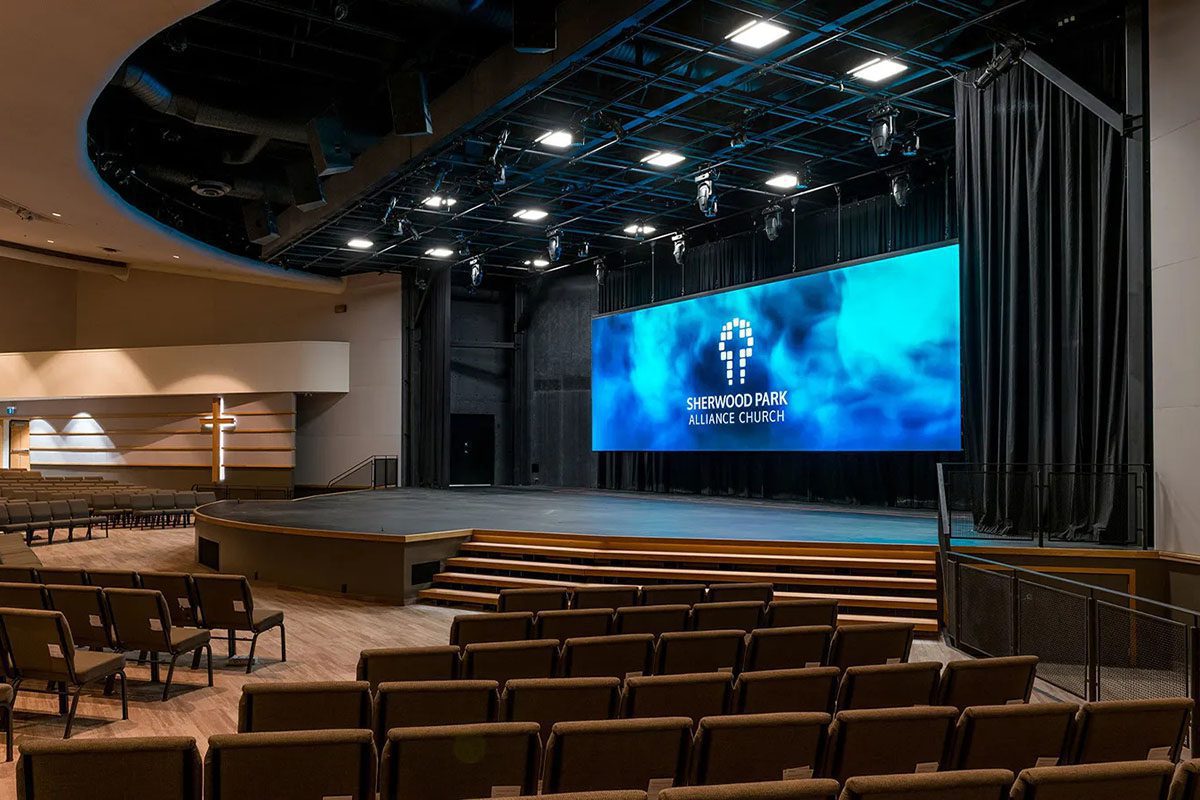
Evaluate the display from the seating positions that will be used during services.
1. Compare Church LED Walls, Projectors, and TVs: Pros and Cons
A direct-view church LED screen forms an image using light-emitting pixels arranged across modules and cabinets. A projector sends light onto a separate surface. A conventional flat-panel display provides an image within a fixed enclosure. These differences affect layout, lighting, image detail, and service arrangements.
Start by defining what the congregation needs to see. Large lyrics, bilingual text, sermon slides, live camera images, and decorative backgrounds impose different demands. Establish which content is essential before deciding how much of the stage a display should occupy.
| Display option | Practical strengths | Limitations to assess | Suitable project conditions |
|---|---|---|---|
| Direct-view LED wall | Modular dimensions; large continuous image; adjustable light output | Pixel visibility, structural support, processing, and specialist service | Large worship spaces or stages requiring a custom display area |
| Projection system | Large image without an emissive wall; screen can sometimes retract | Ambient light, projection path, lens selection, and shadows | Rooms with manageable lighting and a suitable projection position |
| Single commercial flat panel | Fine image detail in a self-contained display | Available sizes, viewing distance, and coverage across wide rooms | Smaller sanctuaries, classrooms, foyers, or confidence monitors |
| Multiple flat panels | Distributed viewing positions; independent content options | Bezels if tiled; additional mounts and signal distribution | Rooms where several local displays improve sightlines |
On smaller screens, scroll the table horizontally to view every column.
An LED wall for a church can be appropriate when projection loses readability under required room lighting. However, its performance still depends on brightness settings, surface reflections, content contrast, and installation quality. No display technology solves an obstructed view.
Compare complete systems against the same brief. For a broader procurement framework, see our LED display buying guide. Retaining a serviceable projector may be sensible if revised content or better light control resolves the problem. Conversely, a church LED screen may justify a larger initial investment when its modular size and operating characteristics directly address documented requirements.
2. Match Screen Size and Pixel Pitch to Your Seating Layout
Screen size and pixel pitch are separate checks because physical readability and image resolution solve different problems. A large church LED screen can still lack enough pixels for detailed graphics, while a fine-pitch display can remain too small for people at the back.
01. Check 2: Establish the visible image area
Measure the nearest and farthest occupied seats, the widest viewing angles, and any balcony positions. Record obstacles such as columns, instruments, suspended speakers, and architectural features. Consider seated viewers as well as people standing during worship.
| Site-survey item | What to record | How it affects the design |
|---|---|---|
| Nearest seating | Distance from eyes to the proposed screen plane | Pixel visibility and viewing comfort |
| Rear seating | Longest relevant viewing distance | Required text size and image height |
| Side seating | Extreme viewing positions | Off-axis readability and color consistency |
| Stage layout | Performers, lectern, instruments, and cameras | Screen placement and obstruction risks |
| Content samples | Actual lyrics, slides, captions, and video | Aspect ratio and usable text area |
| Installation envelope | Available width, height, depth, and access | Cabinet layout and maintenance clearances |
On smaller screens, scroll the table horizontally to view every column.
Use real slides in a scaled layout, then validate readability on site where possible. A panoramic background may look impressive but leave insufficient vertical space for several lines of text. Two distributed screens may serve a wide room better than one central display.
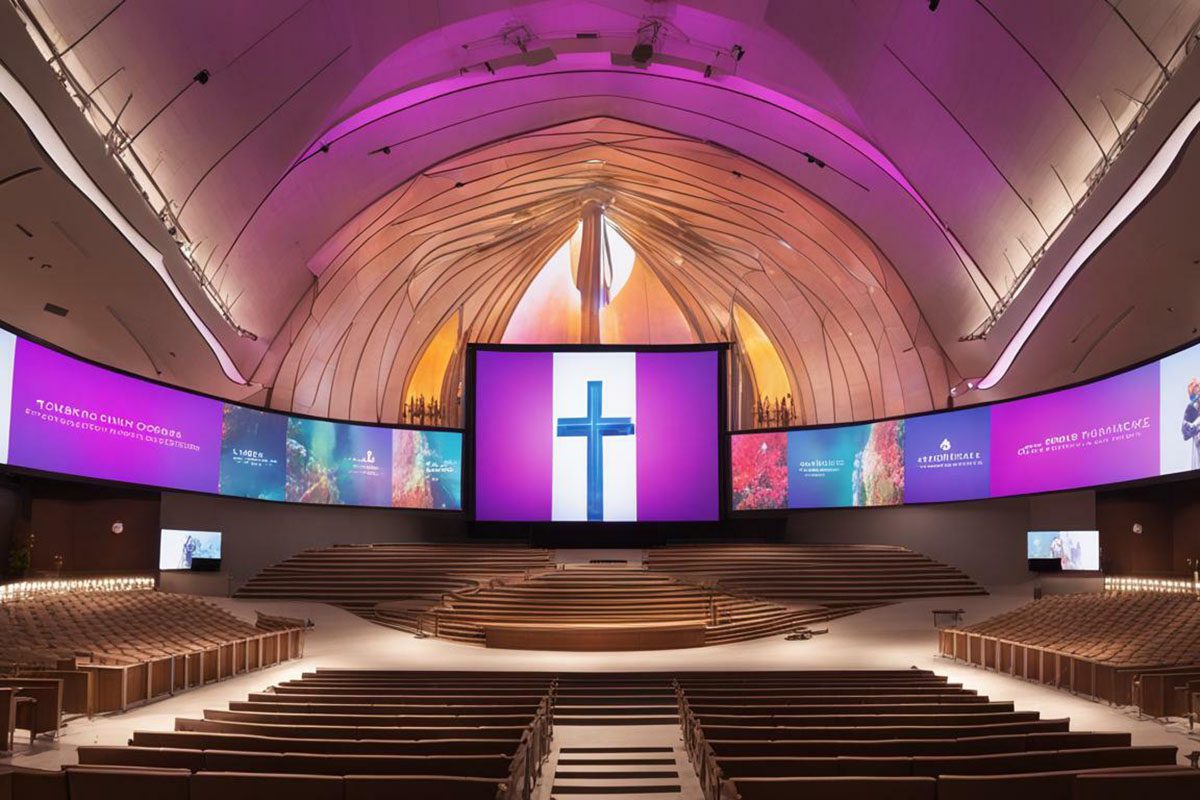
Screen placement and viewing angles should follow the room’s seating layout.
02. Check 3: Calculate native resolution
Pixel pitch is the center-to-center distance between adjacent pixels, usually expressed in millimeters. At the same physical size, a smaller pitch provides more pixels. Planar’s viewing-distance guidance explains the connection between pitch, pixel density, and viewing distance; it should inform selection alongside content and viewer expectations.
For preliminary planning, use the formulas below or consult our LED display resolution calculator guide:
Horizontal pixels ≈ screen width in millimeters ÷ pixel pitch
Vertical pixels ≈ screen height in millimeters ÷ pixel pitch
As a mathematical illustration, a 4,800 × 2,700 mm image at exactly 2.5 mm pitch contains 1,920 × 1,080 pixels. This is a calculation, not a proposed product configuration. Actual dimensions must follow the available module and cabinet grid, and nominal pitch labels may be rounded.
Do not choose church LED screen pixel pitch from a single distance rule. Review the smallest required text, front-row experience, and camera framing. Have the supplier confirm physical dimensions, exact native resolution, cabinet quantity, and processing capacity together. An input labeled “4K” does not give a lower-resolution wall additional physical pixels.
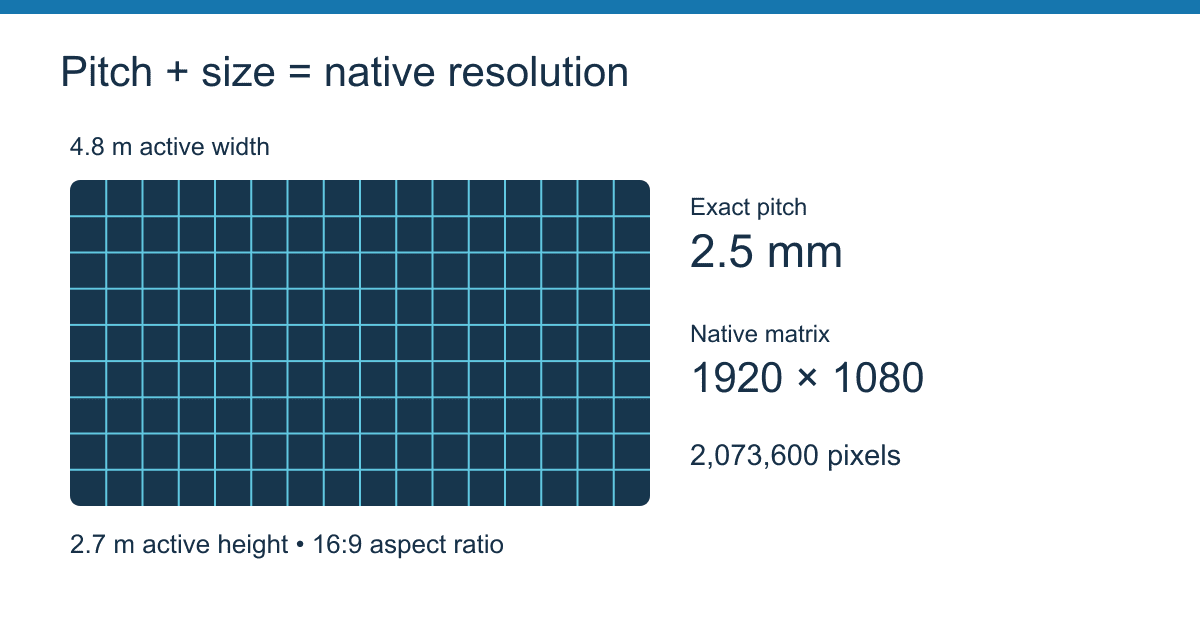
Mathematical example only: confirm the available cabinet grid before specifying dimensions.
3. Set Church LED Screen Brightness for Sanctuary Lighting
The right church LED screen brightness is the level that preserves readable content under operating conditions without overwhelming the stage. Peak brightness, measured in nits, describes only part of that requirement.
Inspect the room during relevant daylight conditions and with the intended house and stage lights active. Windows, reflective finishes, and fixtures aimed toward the display can change the result. A supplier demonstration in a dark room cannot establish performance in a sunlit sanctuary.
Evaluate the church LED screen at the lower brightness levels expected during quieter services. Display gradients, dark video, neutral gray, and white text. Check whether shadows retain detail, color remains consistent, and adjacent cabinets match. LED systems can lose effective grayscale performance when dimmed; processing and panel behavior matter, as explained in Brompton’s low-brightness performance guidance.
Judge contrast with room lighting included. A quoted laboratory contrast ratio does not capture reflections from the installed screen surface. Similarly, comparing a projector’s lumen rating directly with an LED display’s nit rating is misleading: they describe different quantities.
Define usable brightness presets during commissioning and restrict routine operator access to advanced calibration controls. For a church LED screen behind speakers or musicians, coordinate those presets with stage lighting and camera exposure. Excessive brightness can distract the congregation and make balanced video production harder.
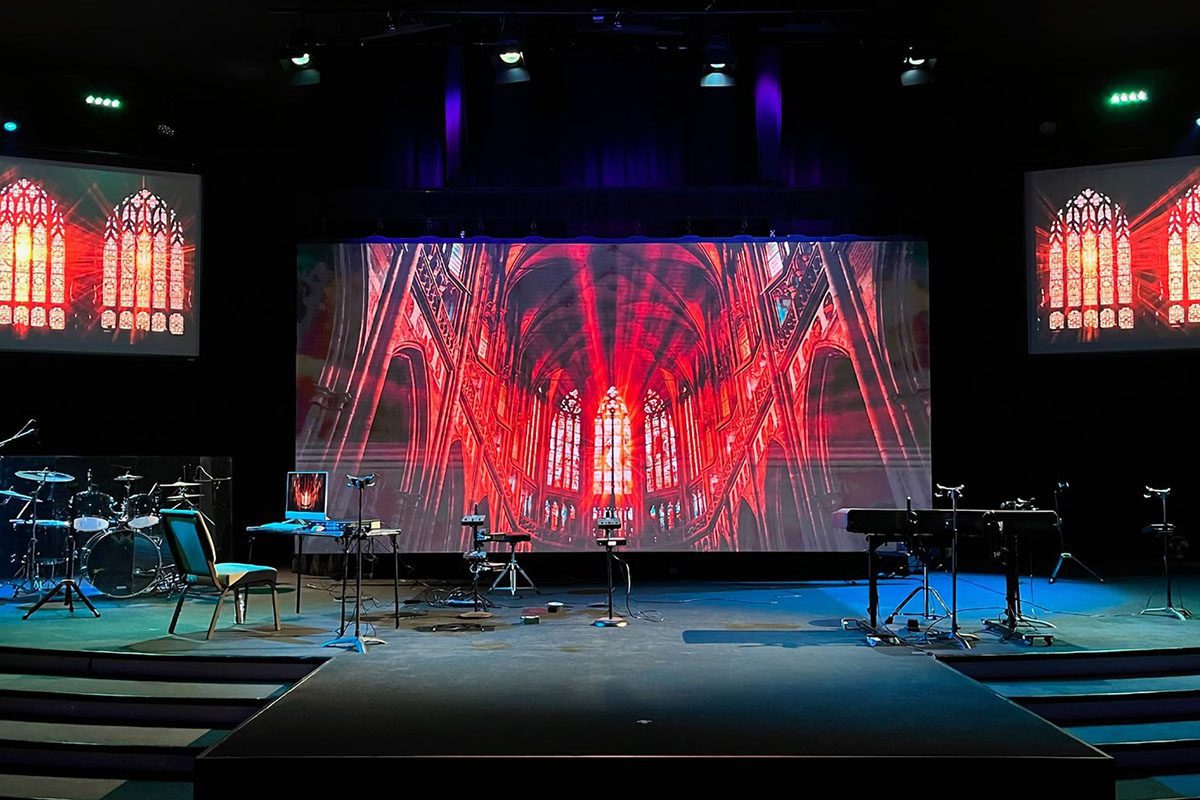
Test screen brightness with the actual stage lighting and content.
4. Test LED Screen Performance With Your Livestream Cameras
A church LED screen that looks clean to the eye can show artifacts on camera. Procurement should therefore include a recorded demonstration using the intended cameras, lenses, frame rates, shutter settings, and stage lighting whenever practical.
Refresh rate and video frame rate are different specifications. A high advertised LED refresh rate does not, by itself, guarantee artifact-free footage. Camera exposure timing, panel driving behavior, and synchronization also matter.
Moiré is a different problem: interference between the screen’s pixel pattern and the camera sensor’s sampling pattern. Pitch, distance, lens selection, focus, and framing all influence it. Increasing refresh rate does not remove this spatial interaction.
| Test | Material or setup | What the integrator should inspect |
|---|---|---|
| Static presenter shot | Person in front of normal worship content | Moiré, exposure balance, and skin appearance |
| Camera movement | Planned pans, tilts, and zooms | Moving bands or artifacts missed in static shots |
| Dark-content test | Gradients and low-light video | Shadow detail, stepping, and color shifts |
| Multi-camera check | Each intended camera and lens | Consistent results across the production system |
| Live-image test | Camera feed displayed on the wall | End-to-end delay and distracting motion mismatch |
On smaller screens, scroll the table horizontally to view every column.
Specify the tested church LED screen configuration in the approval record, including processor, receiving hardware, firmware, and operating settings. Results from another panel family are insufficient evidence.
If the workflow requires genlock, verify support across the relevant equipment. Treat synchronization as one part of the design; it cannot compensate for every panel characteristic or eliminate moiré. For live image magnification, also evaluate delay through the complete camera-to-display path.
5. Check Worship Software Compatibility and Ease of Use
A church LED screen normally receives video through a processor or controller rather than interacting directly with presentation software. Compatibility therefore depends on the complete route from the computer or media server to the display.
Document that route: source device, output interface, adapters, switcher, transport system, LED processor, and receiving cards. Confirm supported resolutions, frame rates, cable distances, and any required conversion equipment. Assign responsibility for each connection before procurement.
Keep three dimensions distinct: the content canvas, the video signal sent by the source, and the physical wall’s native pixel matrix. They can differ, but the scaling and mapping must be intentional.
For a wide church LED screen, prepare templates that preserve readable lyrics and leave appropriate margins. Decide how standard video will appear: centered with unused space, cropped, or incorporated into a wider composition. Stretching every source to fill the wall can distort people and graphics.
Operator testing should include startup, source selection, brightness presets, blackout, and recovery after a signal interruption. Ask a representative operator to run the procedure from written instructions. A church LED screen installation is easier to sustain when everyday operation does not require access to cabinet mapping or receiver configuration.
Back up the approved configuration and label the physical connections. The handover should make it clear which settings users may change and which require an integrator.
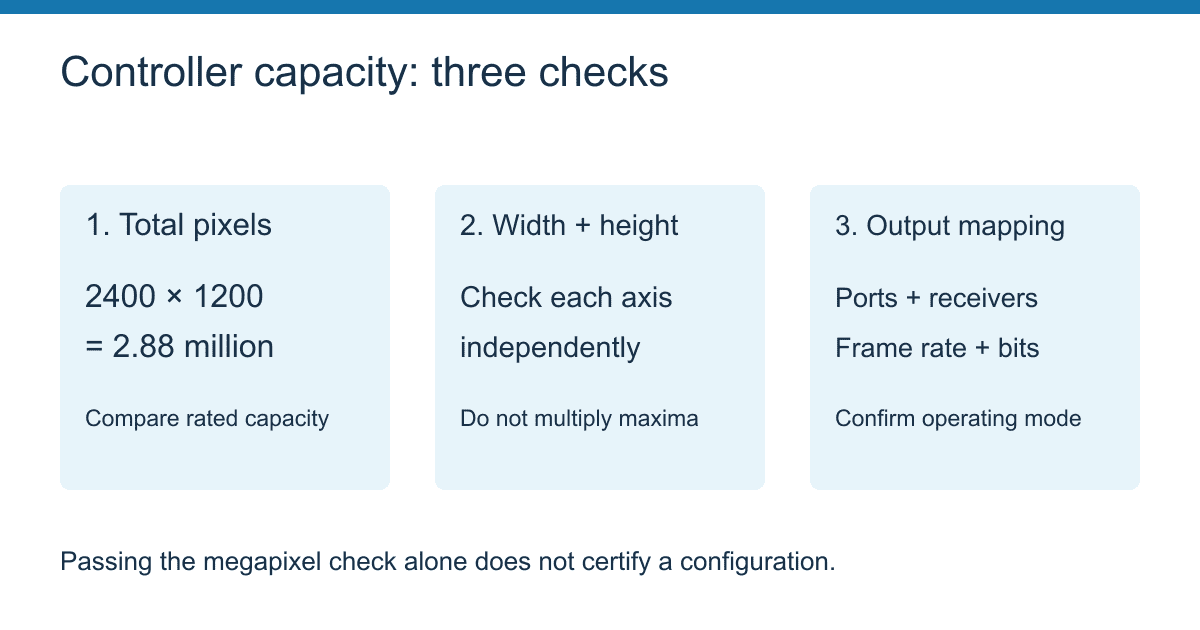
Check total pixel capacity, individual dimension limits, and output mapping together. Figures shown are illustrative.
6. Assess Mounting, Power, and Installation Requirements
Installation feasibility should be established before the church LED screen order is finalized. The display, supporting structure, electrical distribution, cable routes, and service access must fit the same coordinated design.
Have qualified project professionals verify the support arrangement and electrical requirements for the actual site. Obtain documented equipment weights, mounting details, power specifications, and applicable installation instructions. Structural and electrical approval should follow local requirements and the responsibilities defined for the project.
Distinguish fixed installation from repeated assembly. Permanent cabinets may prioritize wall integration and service access, while rental-style systems may prioritize handling, locking, and transport. Select features around the real operating pattern. Compare the available indoor LED screen configurations against the installation brief. A mobile church LED screen also needs suitable storage, protective cases, a deployment procedure, and an approved support system.
Check what “front service” includes. Front-removable LED modules do not automatically mean that power supplies, receiving cards, internal connectors, and every other component are accessible from the same side. Request drawings showing replacement paths with the screen in its final position.
Electrical planning must use the manufacturer’s maximum-load information and the installer’s assessment of distribution, protection, and startup behavior. Average consumption under typical content serves a different purpose: estimating operating energy. It should not replace the data needed to size electrical infrastructure.
Consider heat rejection, ventilation clearances, and audible equipment noise near microphones or quiet seating areas. Review cable access and separation requirements with the installation team. For a church LED screen mounted above occupied areas, use documented engineering and the specified mounting hardware throughout.
Before shipment, resolve who supplies the structure, who installs the display, and who commissions the complete system. Unassigned work often becomes a site delay.
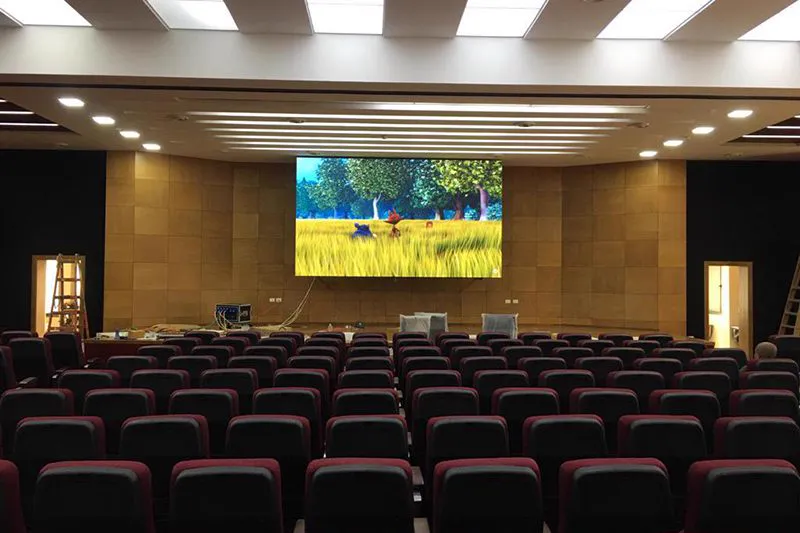
Include mounting, power, cable routes, and service access in the installation design.
7. Calculate Church LED Screen Cost Beyond the Panel Price
Church LED screen cost depends on the agreed system, location, and project scope. A meaningful quotation needs dimensions, pitch, cabinet configuration, processing, installation assumptions, and support requirements. Broad price ranges can obscure more than they explain when those details are missing.
Ask suppliers to separate equipment pricing from project delivery and recurring expenses. Our LED display installation cost guide provides a related planning reference. That makes proposals easier to compare and helps distributors or contractors protect their own scope.
| Cost category | Items to identify | Question for the quotation |
|---|---|---|
| Display hardware | Cabinets, modules, receiving cards, power supplies | What exactly is included in the configured wall? |
| Video system | Processing, switching, converters, transport | Does the price cover every required source path? |
| Installation | Structure, access equipment, labor, cabling | Which site works and materials are excluded? |
| Delivery | Packaging, freight, insurance, import-related charges | Which party carries each obligation? |
| Commissioning | Mapping, calibration, testing, training | What deliverables define completion? |
| Service readiness | Spare modules, electronics, tools, documentation | Can common failures be addressed locally? |
| Operation | Electricity, maintenance, support, related cooling | What assumptions underpin recurring costs? |
On smaller screens, scroll the table horizontally to view every column.
For preliminary energy planning, use:
Energy use in kWh = average operating power in kW × operating hours
Multiply that result by the applicable electricity tariff to estimate the energy charge. State the assumed brightness, content, and schedule; account separately for other billing components and supporting equipment where relevant. Request measured or documented operating data instead of assuming maximum power is the everyday load.
A lower church LED screen purchase price may come with narrower service coverage or more installation work. Conversely, a higher equipment price needs a demonstrable benefit. Evaluate both against the same acceptance requirements.
Approve the complete church LED screen budget with exclusions visible. A quote comparison is useful only when the proposed systems can deliver the same required outcome.
8. Review Maintenance Access, Spare Parts, and Warranty
Maintenance planning determines how quickly a church LED screen can return to service after a fault. Discuss this before choosing the final cabinet arrangement, especially when the wall will be recessed or surrounded by finished architecture.
Request a project-specific spare-parts list covering replaceable modules, power supplies, receiving hardware, cables, and necessary tools. Ask how spares are matched to the delivered system and how replacement modules are calibrated. A physically compatible module may still require adjustment to blend with the installed display.
Warranty review should establish covered components, exclusions, labor responsibility, freight obligations, claim procedures, and repair arrangements. Distinguish remote technical assistance from an on-site service commitment. A warranty duration alone does not define the practical level of support.
For a church LED screen supplied through a distributor or integrator, identify who diagnoses faults and who authorizes replacement parts. Confirm whether configuration files, calibration data, software versions, and cabinet maps will be available to the responsible service team.
EagerLED publishes LED display parts and technical tutorials, including module replacement and controller-related procedures. Such resources can support handover and technician preparation; the project still needs documentation for its specific hardware and installation.
Set a maintenance routine consistent with the manufacturer’s instructions. Include visual inspection, approved cleaning methods, connection checks where appropriate, and backup management. Keep service records so recurring issues can be distinguished from isolated component failures.
9. Compare Suppliers, Support, and Live Screen Demos
Evaluate suppliers on the configuration they will deliver, the evidence supporting it, and their ability to support the project. Attractive demonstration footage cannot establish the suitability of a church LED screen for your room.
Send every bidder the same request for quotation. For an EagerLED inquiry, provide the site measurements, preferred layout, content samples, camera details, access constraints, destination, and intended commissioning date. Ask for explicit assumptions wherever the design remains unresolved.
| Procurement document | Information to request | Why it matters |
|---|---|---|
| Configuration schedule | Exact cabinet, module, pitch, and electronics | Makes the proposed church LED screen identifiable |
| Layout drawing | Physical dimensions, pixel matrix, support interfaces | Connects the equipment order to site design |
| Performance record | Test conditions, settings, sample footage | Shows what was actually demonstrated |
| Delivery schedule | Manufacturing, inspection, shipping, installation milestones | Separates factory readiness from operational readiness |
| Support statement | Responsible contacts, service scope, spare availability | Defines who handles post-installation issues |
| Acceptance plan | Tests, pass criteria, documents, and sign-off process | Establishes an agreed basis for handover |
On smaller screens, scroll the table horizontally to view every column.
Ask to view lyrics, neutral colors, gradients, motion, and camera content rather than only promotional video. Where a full demonstration is impractical, document the limitations of the sample and agree which checks remain for installation.
Include module alignment, visible uniformity, agreed pixel-defect criteria, signal stability, and operator functions in the acceptance plan. For relevant product documentation or conformity evidence, verify the exact model and destination requirements rather than relying on general marketing claims.
Before releasing the order, record approved substitutions and changes through a defined process. A church LED screen proposal is ready for purchase when the equipment, installation scope, performance expectations, and service responsibilities agree with one another.
10. FAQ
Potentially, but expansion should be designed into the original project. Compatible cabinets, module characteristics, processing capacity, support structure, and electrical provision all matter. Later production may not match the original wall visually without further work. Ask the supplier to document an expansion path and explain any limitations on future component availability.
Compare ownership against an event-based rental proposal using the expected schedule. Include storage, transport, assembly labor, technical staffing, maintenance, and support in the ownership calculation. Rental can be useful when requirements change between events; frequent use may support ownership. The decision needs project quotations rather than a universal break-even rule.
Do not assume temporary use makes indoor equipment suitable outdoors. Exposure conditions, ingress protection, temperature limits, electrical distribution, support design, and wind must all be assessed. A canopy does not automatically resolve those issues. Obtain written confirmation that the specified system and installation are suitable for the intended environment.
It can support readable communication, but technology alone is insufficient. Text size, contrast, line spacing, placement, and viewing distance remain important. Provide captions where the workflow allows, avoid crowded slides, and test representative content with intended viewers. A sharper display cannot compensate for type that is too small to read.
The effect depends on the failed component and system architecture. A module fault may remain localized; a power or signal fault can affect a larger area. Ask the integrator to explain likely failure scenarios and demonstrate any specified backup behavior. Define an operating fallback, such as an alternate display or simplified service workflow.
A used system requires condition and compatibility checks beyond its asking price. Review operating history where available, inspect uniformity and physical damage, confirm spare-parts access, and verify processor support. Identify missing accessories and any warranty limitations. Arrange an operational test of the actual inventory before accepting an equipment-only bargain.
Yes, with an appropriately designed output and distribution system. The congregation may need lyrics and video while musicians need cues, clocks, or upcoming text. Confirm independent output capability, hardware capacity, signal routing, and operator control. Duplicating one image is a different requirement from producing separate audience and stage content.
There is no reliable universal duration. Structural work, electrical preparation, equipment availability, shipping, room access, and commissioning all affect the schedule. Ask for separate milestones and dependencies. Plan the first live service after acceptance testing and operator rehearsal, allowing time to resolve issues discovered during integration.
11. Conclusion
Choosing a church LED screen is a coordinated design and procurement task. Begin with the content and seating layout, establish the required image size and resolution, and validate performance under the lighting and camera conditions the system will actually encounter.
Use comparable quotations and a written acceptance plan to connect technical promises with delivered results. Installation access, operating procedures, spare parts, and service responsibilities deserve the same attention as image quality because they determine how manageable the system will be after handover.
When preparing an EagerLED church LED screen inquiry, submit a measured site brief, representative content, camera requirements, and a clear scope of supply. Request a documented configuration and project-specific quotation. That gives buyers, distributors, and integrators a practical basis for selecting a display that fits the venue and can be supported throughout its use.
